

تفصیل
Insert Google Adsense into widget area and don´t worry about any settings. You can also insert a shortcode to your content and set ad format if you want.
Features:
-
Google Ads widget allow multiple ads on the page
-
Shortcode to insert your ad to content
-
No settings needed, just insert your pub-id and show your ads.
Shortcode:
[google_ad data_ad_slot='' data_ad_format='auto']
data_ad_slot:
-you can specify which exact ad you want to display
data_ad_format:
-auto
-rectangle
-horizontal
-vertical
اسکرین شاٹس
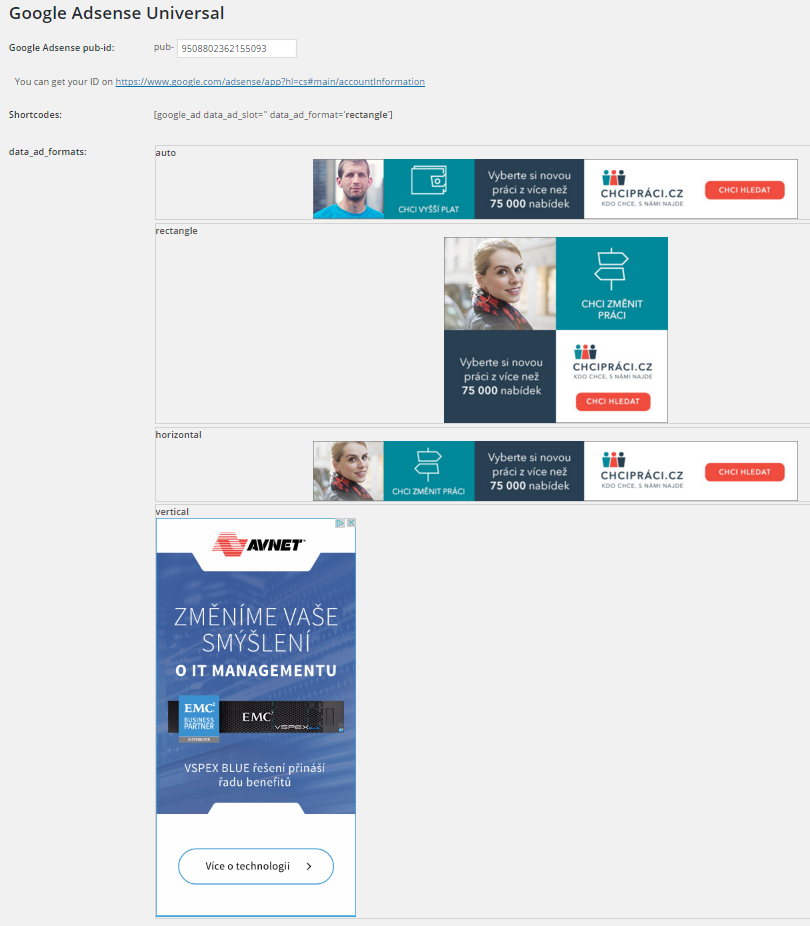
Ad formats
انسٹالیشن
- Upload
google_ads_universalfolder to the/wp-content/plugins/directory - Activate the plugin through the ‘Plugins’ menu in WordPress
- Go to settings and insert yout pub-id
عمومی سوالات
How can i set ads dimensions?
You can´t, Google will do it for you. This plugin do it for you as simple as possible.
جائزے

شراکت دار اور ڈیویلپرز
“Zedna Universal Ads” اوپن سورس سافٹ ویئر ہے۔ مندرجہ ذیل لوگوں نے اس پلگ ان میں حصہ لیا:
شراکت دار
“Zedna Universal Ads” کا اپنی زبان میں ترجمہ کریں۔
ڈویلپمینٹ میں دلچسپی ہے؟
کوڈ براؤز کریں، ایس این وی ریپوزیٹری کو چیک کریں یا ڈویلپمینٹ لاگ کو سبسکرائب کریں بذریعہ آر ایس ایس۔
چینج لاگ
1.0
- First version