
تفصیل
Easily embed documents supported by Google Docs (PDF/DOC/DOCX/PPTX/etc)with a simple shortcode [gviewer]
Ex. [gviewer file=”https://example.com/thisismyfile.pdf”]
A full list of attributes:
file— Required. The URL of the file you wish to showwidth— Optional. The desired width of the viewer in pixels. If no width is set, the value of the theme’s$content_widthwill be used. If no value is set, the width will default to 600 px.height— Optional. The desired height of the viewer in pixels. If height is set, the height will 1.2 times the width. For example, if the width is 100 px, the height will be 120 px.language— The language of the document. If the document is written in a right-to-left (RTL) language (like Hebrew and Arabic), specifying the language will apply RTL settings.
Another way to embed a Google Document is by using the template tag provided by the plugin in the source code. Here’s an example:
<?php

echo simple_gviewer_embed( 'https://.../file.pdf', $args );
The second argument, $args, is an associative array. Keys can be found in the list above.
Short Demonstration
اسکرین شاٹس

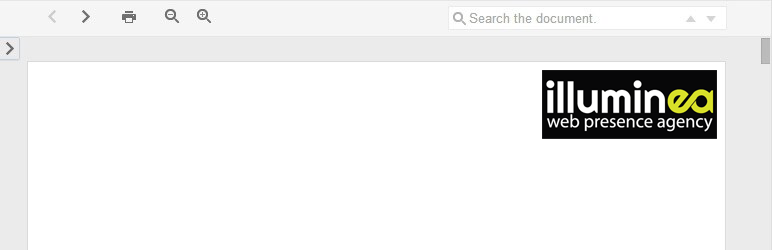
How an embedded document looks in the front-end. 
A sample use of the "gviewer” shortcode.
انسٹالیشن
Add via the plugin installer, or download the ZIP file and upload from the "Upload” tab.

شراکت دار اور ڈیویلپرز
“Simple Google Docs Viewer” اوپن سورس سافٹ ویئر ہے۔ مندرجہ ذیل لوگوں نے اس پلگ ان میں حصہ لیا:
شراکت دار

“Simple Google Docs Viewer” کا اپنی زبان میں ترجمہ کریں۔
ڈویلپمینٹ میں دلچسپی ہے؟
کوڈ براؤز کریں، ایس این وی ریپوزیٹری کو چیک کریں یا ڈویلپمینٹ لاگ کو سبسکرائب کریں بذریعہ آر ایس ایس۔
چینج لاگ
1.2
- Fix width shortcode attribute
1.1
- Added support for https
- iframes are now responsive out of the box
1.0
- Initial release