
تفصیل
A simple plugin for adding the new No CAPTCHA reCAPTCHA by Google to WordPress login, registration and comment system as well as BuddyPress registration form to protect against spam.
Features
- Option to activate CAPTCHA in login, registration, comment and BuddyPress registration forms.
- Choose a theme for the CAPTCHA.
- Auto-detects the user’s language.
Plugins you will like
- No CAPTCHA reCAPTCHA for WooCommerce: Protect WooCommerce login, registration and password reset form against spam using Google’s No CAPTCHA reCAPTCHA.
- ProfilePress: A shortcode based WordPress form builder that makes building custom login, registration and password reset forms stupidly simple. More info here
- MailOptin – The best WordPress email optin forms, email automation & newsletters plugin in the market.
اسکرین شاٹس

Add your reCAPTCHA keys. 
Select where to activate. 
Plugin general settings. 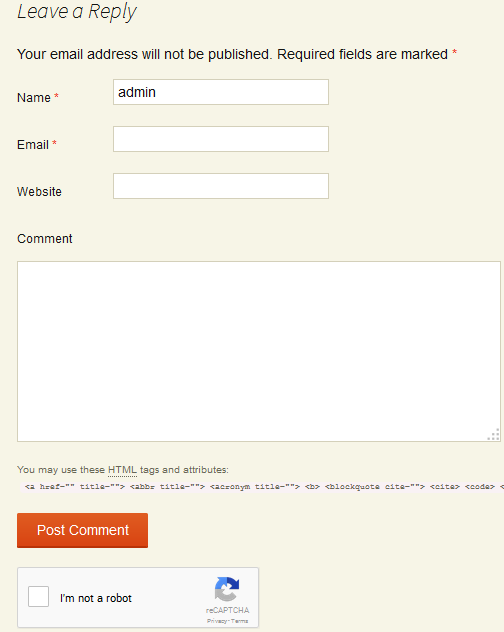
CAPTCHA in action at comment form 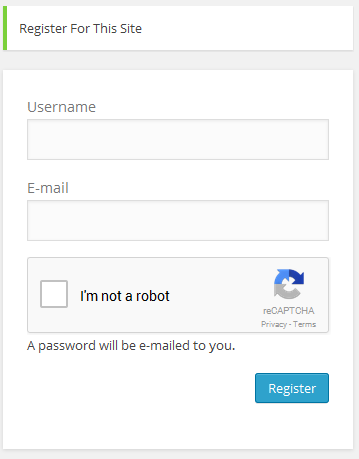
CAPTCHA in action at registration form 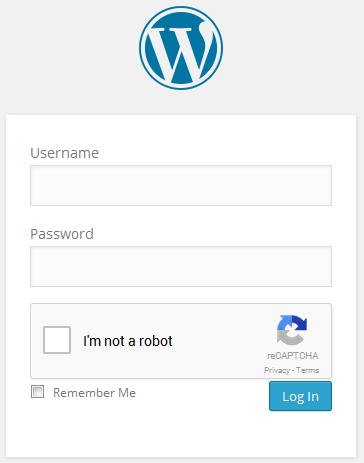
CAPTCHA in action at login form 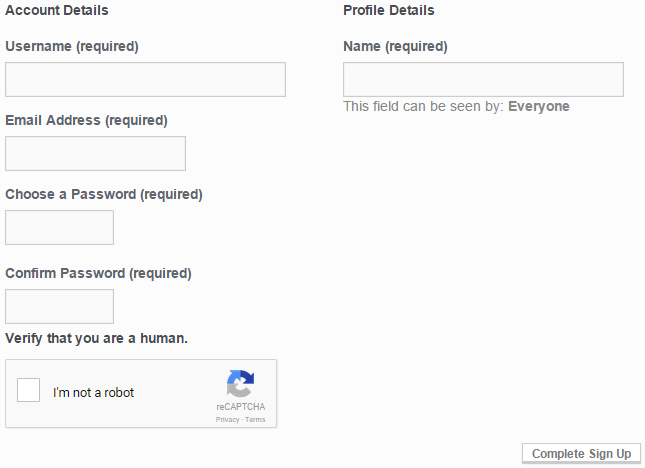
CAPTCHA in action at buddypress registration form
انسٹالیشن
Installing No CAPTCHA reCAPTCHA is just like any other WordPress plugin.
Navigate to your WordPress “Plugins” page, inside of your WordPress dashboard, and follow these instructions:
- In the search field enter No CAPTCHA reCAPTCHA. Click "Search Plugins”, or hit Enter.
- Select No CAPTCHA reCAPTCHA and click either "Details” or "Install Now”.
- Once installed, click "Activate”.
عمومی سوالات
Any question? post it in the support forum.
جائزے

فروری 10, 2020
If you disable javascript, this module does not stop registering or login actions. It means most bots will continue working in the same way as you wouldn’t have this module installed… so it only serves to annoy people but not to stop bots!!
I strongly recommend developers to review this important issue!!

دسمبر 10, 2019
This plugin is not working in Registration page.

مئی 23, 2019
is working very well!
I think more places could be added, like the message page

دسمبر 16, 2018
simple code, small plugin.

اکتوبر 19, 2018
Минимум хлама, максимум пользы.

ستمبر 15, 2018
In testing this, I had a warning that the captcha had timed out, then the page reloaded, with the comment seemingly lost. It wasn’t actually lost – it seems to have been recorded, and when I tried again I got a "duplicate” warning, but if I were a commenter, that would just leave me confused.
Otherwise very promising.
شراکت دار اور ڈیویلپرز
“No CAPTCHA reCAPTCHA” اوپن سورس سافٹ ویئر ہے۔ مندرجہ ذیل لوگوں نے اس پلگ ان میں حصہ لیا:
شراکت دار
“No CAPTCHA reCAPTCHA” کا اپنی زبان میں ترجمہ کریں۔
ڈویلپمینٹ میں دلچسپی ہے؟
کوڈ براؤز کریں، ایس این وی ریپوزیٹری کو چیک کریں یا ڈویلپمینٹ لاگ کو سبسکرائب کریں بذریعہ آر ایس ایس۔
چینج لاگ
1.3.4
- Tuned down admin notices.
1.3.3
- Improve compatibility with WordPress 5.0
1.3.2
- Small bug fix.
1.3.1
- Small fix and improvement.
1.3
- Fixed deleted comment Email Notifications
- Move menu to settings as submenu
1.2.1
- Fixed bug where logged user couldnt submit comments
1.2
- Add margin bottom spacing before submit button.
- Changed default error message to "Please confirm you are not a robot”
- Moved captcha before comment submit button.
1.1.2
- Force delete comments that fails captcha test.
1.1.1
- Remove overzealous activation check.
- Bump minimum requirement to 4.0
1.1
- Added integration to BuddyPress registration.
1.0.3
- allow the plugin to be activated network-wide, and in this case display the settings page on the network admin side.
- make the plugin fully translation-ready, and provide the french translation
- remove warnings that display on first activation, when all options are not set
- list the available language for CAPTCHA from the WordPress language packs. To add another language, simply install a new core language pack. This way, the list will only show the languages you are interested in.
1.0.2
- Fix error where Captcha could be bypassed by disabling Javascript
1.0.1
- Fixed header already sent error
1.0
- Initial commit