
تفصیل
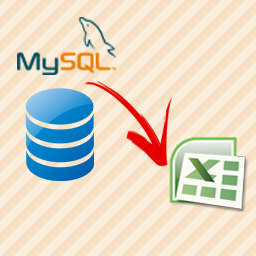
This plugin provide you the functionality to export MySql database table to excel file. The plugin is very easy to use. It also allow you to show all database table’s value with "export to excel” option in admin panel.
We are currently working on a new functionality which will provide you the functionality to export database table with selected field name.
Plugin Functionalities:
- Easy to see all database table in Admin Panel
- Export any table to Excel file
- We are adding additional functionality to this plugin soon…
اسکرین شاٹس


انسٹالیشن
Please follow there easy steps to install the plugin –
- Upload "DatabaseToExcel.zip” to the "/wp-content/plugins/” directory and extract it.
- Activate the plugin through the "Plugins” menu in WordPress.
- Now, you will see a menu "Database to Excel” in admin panel, click on it.
- Here is the all functionalities of the plugin, Enjoy…
عمومی سوالات
- Does this plugin create any table in database?
-
No, this plugin does not create any table in your database.
- Can I uninstall this plugin anytime?
-
Yes! you can uninstall it anytime, simply goto plugin section of your admin panel and delete the plugin named "Database to Excel”.
جائزے


شراکت دار اور ڈیویلپرز
“Database to Excel” اوپن سورس سافٹ ویئر ہے۔ مندرجہ ذیل لوگوں نے اس پلگ ان میں حصہ لیا:
شراکت دار
“Database to Excel” کا اپنی زبان میں ترجمہ کریں۔
ڈویلپمینٹ میں دلچسپی ہے؟
کوڈ براؤز کریں، ایس این وی ریپوزیٹری کو چیک کریں یا ڈویلپمینٹ لاگ کو سبسکرائب کریں بذریعہ آر ایس ایس۔
چینج لاگ
1.0
- Initial release.