
تفصیل
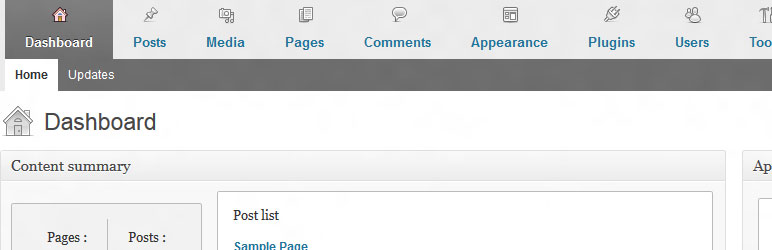
The plugin has its own admin options page (settings page) where you can:
- add user-friendly horizontal menu and dashboard metaboxes
- completely remove blogging plarform widgets
- change logo and link of the login page
- customize admin bar menu
- add custom content to the admin footer
- hide notices (core update notice, plugin update notice and theme update notice)
- hide screen options and help tag
- change basic site settings e.g. hide site generator and feed links
It gives your clients a better experience of their new website.
Support for translation!
- Polish translation
- Dutch translation by Jos Wolbers
Plugin is ready for WordPress 3.6
اسکرین شاٹس

انسٹالیشن
- Upload
cms-admin-areato the/wp-content/plugins/directory - Activate the plugin through the ‘Plugins’ menu in WordPress
- Go te the admin area options page (Settings-> Admin Area Options)
عمومی سوالات
If you have any questions, or require additional information, please contact me netbiel@gmail.com
جائزے
There are no reviews for this plugin.
شراکت دار اور ڈیویلپرز
“CMS admin area” اوپن سورس سافٹ ویئر ہے۔ مندرجہ ذیل لوگوں نے اس پلگ ان میں حصہ لیا:
شراکت دار
“CMS admin area” کا اپنی زبان میں ترجمہ کریں۔
ڈویلپمینٹ میں دلچسپی ہے؟
کوڈ براؤز کریں، ایس این وی ریپوزیٹری کو چیک کریں یا ڈویلپمینٹ لاگ کو سبسکرائب کریں بذریعہ آر ایس ایس۔
چینج لاگ
1.0
- The plugin has its own admin options page (settings page) with 3 tabs
- Plugin is ready for WordPress 3.6
0.9.3
- Plugin is ready for WordPress 3.5