تفصیل
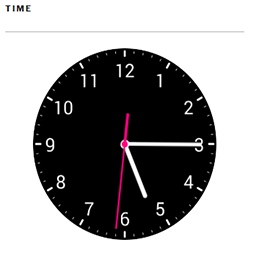
Analog clock plugin is very usefull plugin to show simple analog clock in widget area like sidebar or footer. Easy to use and it find user local timezone and preview local time. No js user for the clock. Only html css and php seo friendly code.
There is a 3rd Party service name "Timezone API”. It’s use for convert ip address to user local time zone, time, date etc. It just take the ip address and return time and date value that use for display the time.
Larn more about Timezone API hare "http://timezoneapi.io”
Tarms and condition for Timezone API "http://timezoneapi.io/terms”
اسکرین شاٹس

Clock screenshort
انسٹالیشن
Easy to use
- Upload the plugin files to the
/wp-content/plugins/plugin-namedirectory, or install the plugin through the WordPress plugins screen directly. - Activate the plugin through the ‘Plugins’ screen in WordPress
- Go to widgets area. There is new widget name analog clock display, Use it anywhere you want. Have fun
عمومی سوالات
- Installation Instructions
-
Easy to use
- Upload the plugin files to the
/wp-content/plugins/plugin-namedirectory, or install the plugin through the WordPress plugins screen directly. - Activate the plugin through the ‘Plugins’ screen in WordPress
- Go to widgets area. There is new widget name analog clock display, Use it anywhere you want. Have fun
- Upload the plugin files to the
- What analog clock plugin use for?
-
Use it to show stylish analog clock in widget area.
- Is it slow my website?
-
There is no js code, only html css php and small png image use for the clock so it will not slow your website.
- Is there any harmfull code?
-
There is no junk or harmfull code in this plugin.
جائزے


شراکت دار اور ڈیویلپرز
“Analog Clock display Widget” اوپن سورس سافٹ ویئر ہے۔ مندرجہ ذیل لوگوں نے اس پلگ ان میں حصہ لیا:
شراکت دار
“Analog Clock display Widget” کا اپنی زبان میں ترجمہ کریں۔
ڈویلپمینٹ میں دلچسپی ہے؟
کوڈ براؤز کریں، ایس این وی ریپوزیٹری کو چیک کریں یا ڈویلپمینٹ لاگ کو سبسکرائب کریں بذریعہ آر ایس ایس۔
چینج لاگ
1.0
- Initial release.