چھوڑیں مواد پر جائیں
WordPress.org

اردو

  • تھیمز
  • پلگ انز
  • خبریں
  • معاونت
  • متعلق
  • اردو مترجم ٹیم
  • Get WordPress
Get WordPress
WordPress.org

Plugin Directory

WP ShareX

  • Submit a plugin
  • My favorites
  • Log in
  • Submit a plugin
  • My favorites
  • Log in

یہ پلگ ان ورڈپریس کے تازہ ترین 3 ریلیزوں کے ساتھ ٹیسٹ نہیں کیا گیا ہے۔ اب یہ برقرار نہیں رکھا جا سکتا یا معاونت نہیں کی جا سکتی اور اس کو ورڈپریس کے تازہ ترین ورژنز کے ساتھ استعمال کیے جانے پر مطابقت کے مسائل ہو سکتے ہیں۔

WP ShareX

منجانب joomdev
ڈاؤن لوڈ کریں
  • تفصیلات
  • جائزے
  • انسٹالیشن
  • ڈیولپمنٹ
معاونت

تفصیل

WP ShareX is an advanced WordPress Social Share plugin enables you to add social share buttons on Posts and pages. You can assign buttons on Top of the Content, Bottom of the Content, Sidebar and on media.

Features of WP Social Share by JoomDev
1. 24 Social Network
2. You have the option to select either Icons or Icons with Text
3. 3 Button Shapes
4. 4 Button Animations
5. URL Shortening Option with Bitly and Goo.gl
6. Embed Twitter Handle and desired tags with Tweet
7. 4 Button display Location e.i. Top of the Content, Bottom of the content, Media, and Sidebar
8. Hide On Mobile Ability
9. Default Share Count Option. (You can play with your user’s mind)
10. Encourage your Audience to share your content with Share Incentive Feature

اسکرین شاٹس
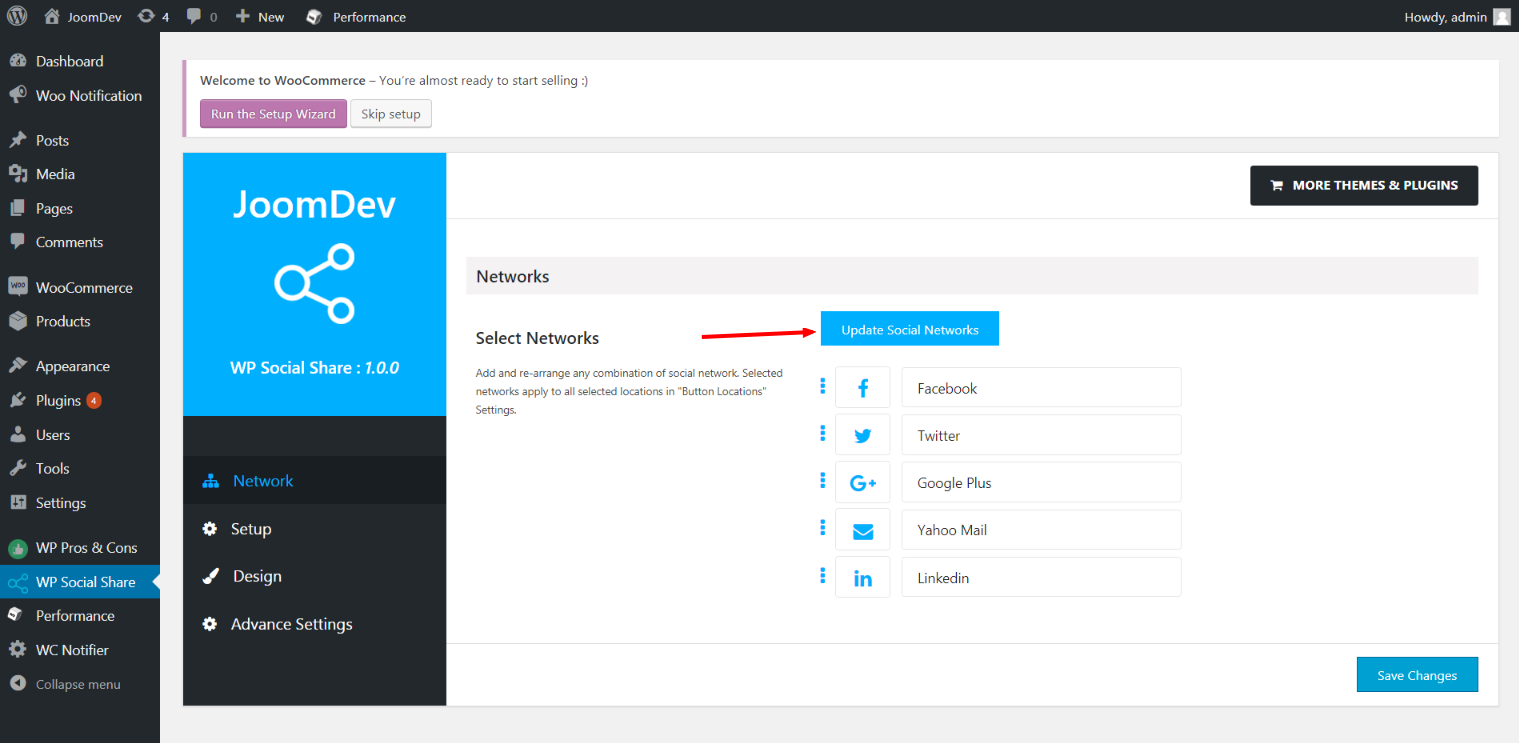
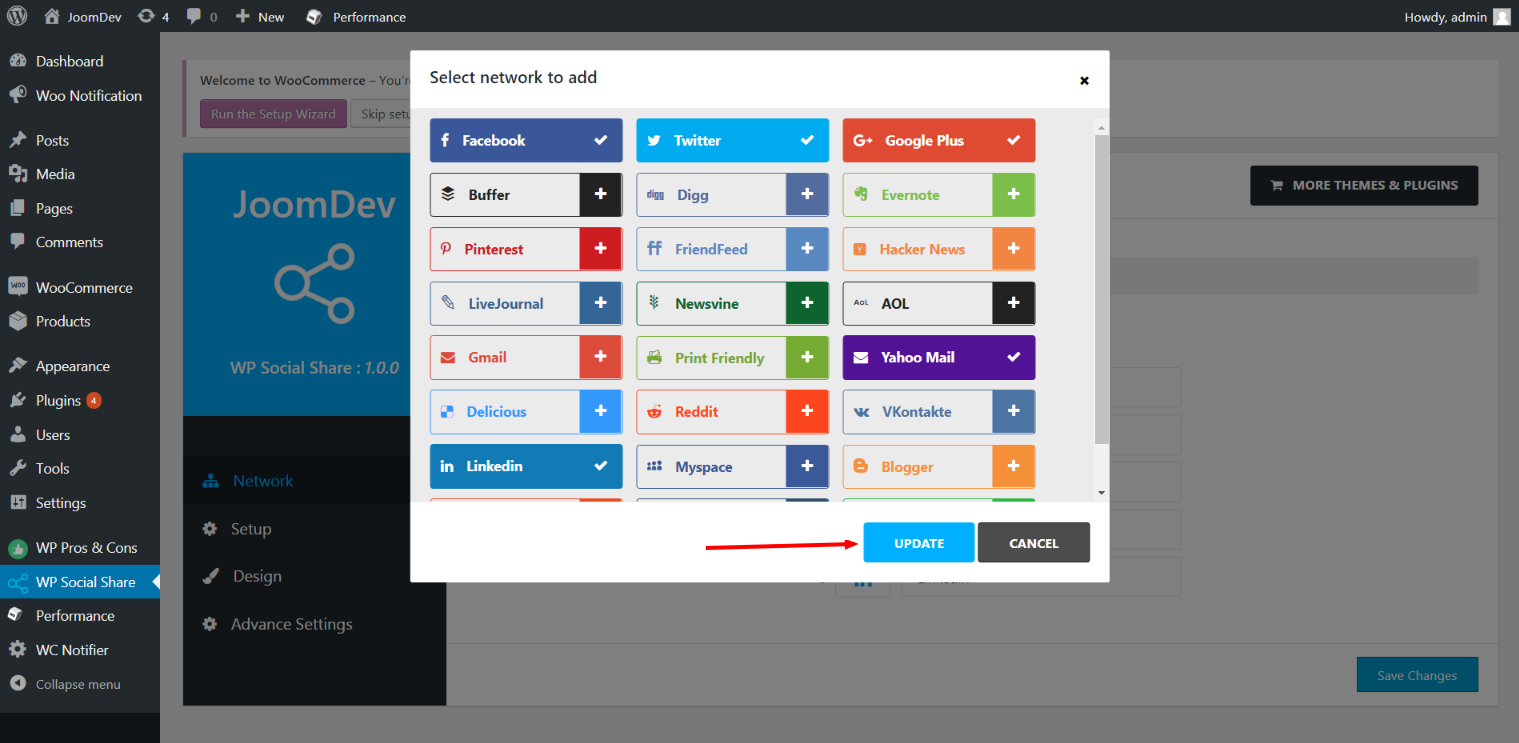
Click here to select networks
Update networks after selecting them.
Setup plugin and api settings.
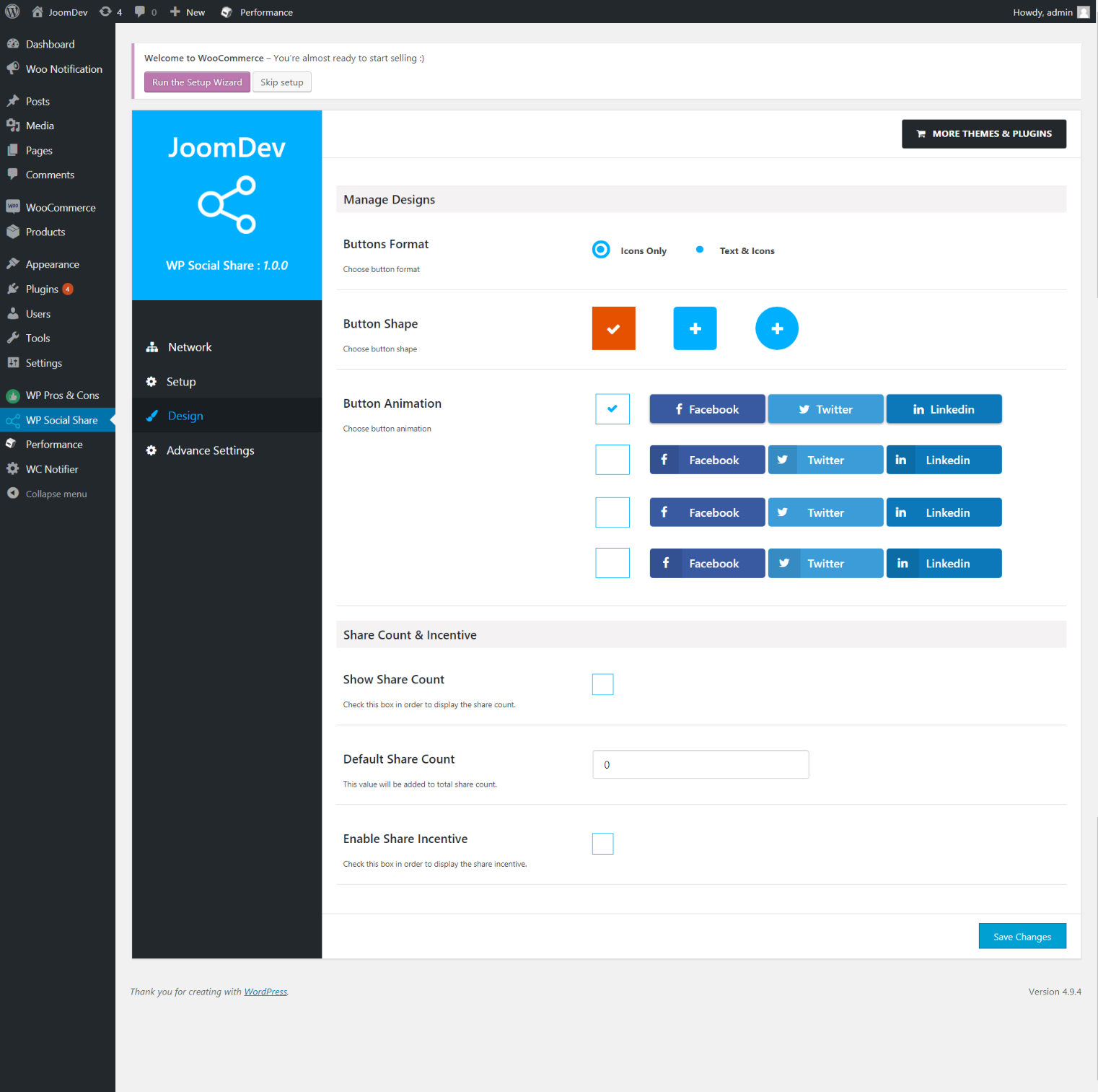
Select any design to display the buttons.
For mobile
For mobile

انسٹالیشن

Way 1: 1. Upload joomdev-wp-social-share.zip to the /wp-content/plugins/ directory 2. Extract the zip file. 3. Activate the plugin from wordpress plugins page. And you have done.

Way 2: 1. Go to plugins page in admin. 2. Click on Add New button. 3. Search for "WP ShareX”. 4. Click install on WP Social Share. 5. Activate the plugin.

عمومی سوالات

Installation Instructions

Way 1:
1. Upload joomdev-wp-social-share.zip to the /wp-content/plugins/ directory
2. Extract the zip file.
3. Activate the plugin from wordpress plugins page. And you have done.

Way 2:
1. Go to plugins page in admin.
2. Click on Add New button.
3. Search for "WP ShareX”.
4. Click install on WP Social Share.
5. Activate the plugin.

How do I use this plugin?

See description.

جائزے

Excellent!

Arnab Mohapatra مارچ 16, 2018 1 reply
Incredible plugin. It allows to add any sharing button on the page simply and fast!
تمام 1 جائزے پڑھیں

شراکت دار اور ڈیویلپرز

“WP ShareX” اوپن سورس سافٹ ویئر ہے۔ مندرجہ ذیل لوگوں نے اس پلگ ان میں حصہ لیا:

شراکت دار
  • joomdev

“WP ShareX” کا اپنی زبان میں ترجمہ کریں۔

ڈویلپمینٹ میں دلچسپی ہے؟

کوڈ براؤز کریں، ایس این وی ریپوزیٹری کو چیک کریں یا ڈویلپمینٹ لاگ کو سبسکرائب کریں بذریعہ آر ایس ایس۔

چینج لاگ

1.0.0

  • New Plugin initialized.

میٹا

  • Version 1.0.0
  • Last updated 9 سال پہلے
  • Active installations 10+
  • WordPress version 3.0 یا اس سے جدید
  • Tested up to 4.9.32
  • Language
    English (US)
  • Tags
    sharesocialsocial share
  • اعلی درجے کا منظر

درجہ بندیاں

5 out of 5 stars.
  • 1 5-star review 5 stars 1
  • 0 4-star reviews 4 stars 0
  • 0 3-star reviews 3 stars 0
  • 0 2-star reviews 2 stars 0
  • 0 1-star reviews 1 star 0

Your review

See all reviews

شراکت دار

  • joomdev

معاونت

کچھ کہنا ہے؟ مدد چاہیے؟

معاونتی فورم دیکھیں

عطیہ دیں

کیا آپ اس پلگ ان کی ترقی میں معاونت کرنا چاہتے ہیں؟

اس پلگ ان کو عطیہ دیں

  • About
  • News
  • Hosting
  • Privacy
  • Showcase
  • Themes
  • Plugins
  • Patterns
  • Learn
  • Support
  • Developers
  • WordPress.tv ↗
  • Get Involved
  • Events
  • Donate ↗
  • Swag ↗
  • WordPress.com ↗
  • Matt ↗
  • bbPress ↗
  • BuddyPress ↗
WordPress.org
WordPress.org

اردو

  • Visit our X (formerly Twitter) account
  • ہمارے بلیواسکائی اکاؤنٹ پر جائیں
  • Visit our Mastodon account
  • ہمارے ٹھریڈز اکاؤنٹ پر جائیں
  • Visit our Facebook page
  • Visit our Instagram account
  • Visit our LinkedIn account
  • ہمارے ٹک ٹاک اکاؤنٹ پر جائیں
  • Visit our YouTube channel
  • ہمارے ٹمبلر اکاؤنٹ پر جائیں
کوڈ شاعری ہے۔
The WordPress® trademark is the intellectual property of the WordPress Foundation.