
تفصیل
Easily display WordPress Gutenberg Editor saved reusable blocks anywhere via widget.
Easy Setup
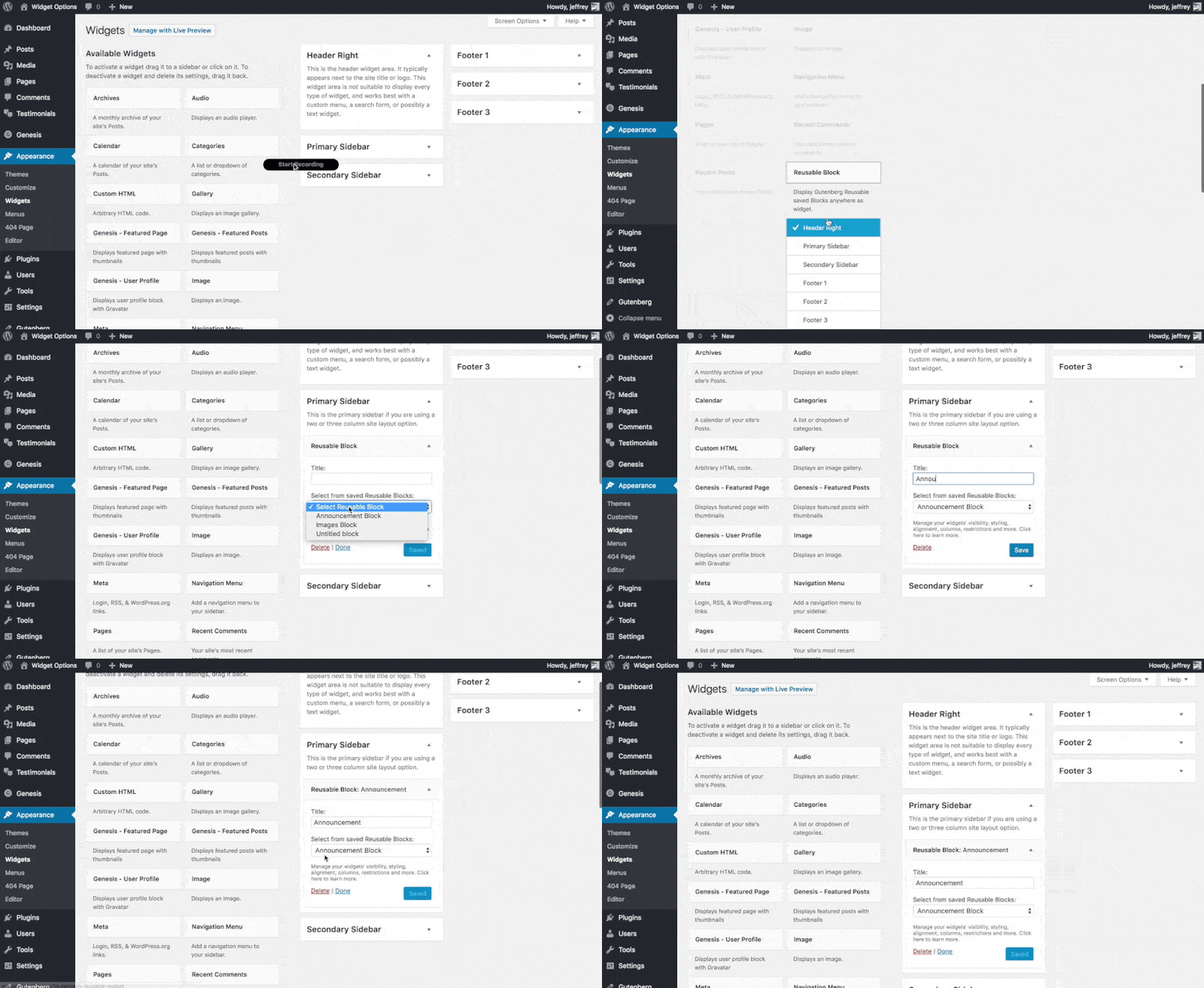
After plugin activation, Reusable Block widget will be available under Appearance > Widgets, just drag and drop to any desired widget area.
Extensible
If you want to upgrade your widgets usage. You can use Modal Pop-up & Sliding Widget Options to display your widgets as modal pop-ups, slide-ins and/or sliding widgets. Powered with triggers like exit-intent, on load and on scroll you can increase your user engagement easily.
اسکرین شاٹس
انسٹالیشن
- Upload the full directory into your wp-content/plugins directory
- Activate the plugin at the plugin administration page
- Go to Appearance > Widgets then drag and drop "Reusable Block” to any widget area
عمومی سوالات
- Installation Instructions
-
- Upload the full directory into your wp-content/plugins directory
- Activate the plugin at the plugin administration page
- Go to Appearance > Widgets then drag and drop "Reusable Block” to any widget area
جائزے


شراکت دار اور ڈیویلپرز
“Reusable Gutenberg Blocks Widget” اوپن سورس سافٹ ویئر ہے۔ مندرجہ ذیل لوگوں نے اس پلگ ان میں حصہ لیا:
شراکت دار
“Reusable Gutenberg Blocks Widget” کا اپنی زبان میں ترجمہ کریں۔
ڈویلپمینٹ میں دلچسپی ہے؟
کوڈ براؤز کریں، ایس این وی ریپوزیٹری کو چیک کریں یا ڈویلپمینٹ لاگ کو سبسکرائب کریں بذریعہ آر ایس ایس۔