تفصیل
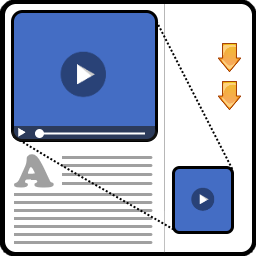
This plugin allows you to embed an ogg, mp4 file or YouTube or Vimeo video into your page. As the user of your website scrolls down the page to read the rest of your article and they can’t see the video any more, the video will automatically move and stick to one of the corners of the window so they can watch the video and read the page at the same time. This creates an effect like the one that can be seen on the videos of CNN, Daily Mail, and the new material design version of YouTube.
This is very useful if you have lots of articles or pages which have accompanying videos, which the user may want to watch while also reading the rest of the article or page.
The plugin will insert a video into a post or page using a shortcode.
The plugin also adds a button to the visual editor so that you can easily intergrate the floating video into all of your pages.
اسکرین شاٹس

Settings page 
The plugin in action 
The shortcode used to instert the video
انسٹالیشن
You can install the plugin directly from your wordpress plugins dashboard by going to plugins->Add New, and searching for Floating Video Plugin and slecting install, or you can install it from wordpress.org as outlined below;
- Downlad the plugin from wordpress.org.
- Upload the plugin files to the
/wp-content/plugins/directory. - Activate the plugin through the ‘Plugins’ screen in WordPress
- Use the ‘Settings->Floating Video Plugin’ menu to configure the plugin’s settings and learn how to use the plugin.
عمومی سوالات
- Installation Instructions
-
You can install the plugin directly from your wordpress plugins dashboard by going to plugins->Add New, and searching for Floating Video Plugin and slecting install, or you can install it from wordpress.org as outlined below;
- Downlad the plugin from wordpress.org.
- Upload the plugin files to the
/wp-content/plugins/directory. - Activate the plugin through the ‘Plugins’ screen in WordPress
- Use the ‘Settings->Floating Video Plugin’ menu to configure the plugin’s settings and learn how to use the plugin.
جائزے


شراکت دار اور ڈیویلپرز
“Floating Video” اوپن سورس سافٹ ویئر ہے۔ مندرجہ ذیل لوگوں نے اس پلگ ان میں حصہ لیا:
شراکت دار
“Floating Video” کا اپنی زبان میں ترجمہ کریں۔
ڈویلپمینٹ میں دلچسپی ہے؟
کوڈ براؤز کریں، ایس این وی ریپوزیٹری کو چیک کریں یا ڈویلپمینٹ لاگ کو سبسکرائب کریں بذریعہ آر ایس ایس۔
چینج لاگ
1.3
- Added close button on floating video.
- Added custom video player for local videos.
1.2.3
- Fixed confilict issues with some themes and plugins
1.2.2
- Minor improvements
1.2.1
- Minor bug fixes
1.2
- Added support videos from Vimeo.
- Minor backend UI improvements.
1.1
- Added button in page editor to insert the shortcode.
- Changes to settings page.
1.0.3.1
- Minor bug fixes.
1.0.3
- Fixed bug where the plugin was messing up the admin dashboard.
1.0.2
- Minor UI improvements.
- Made shortcode aspect_ratio attribute optional (defaults to 16:9).
1.0.1
- Minor changes.
1.0
- Initial plugin version.