تفصیل
Data Tables Generator by Supsystic
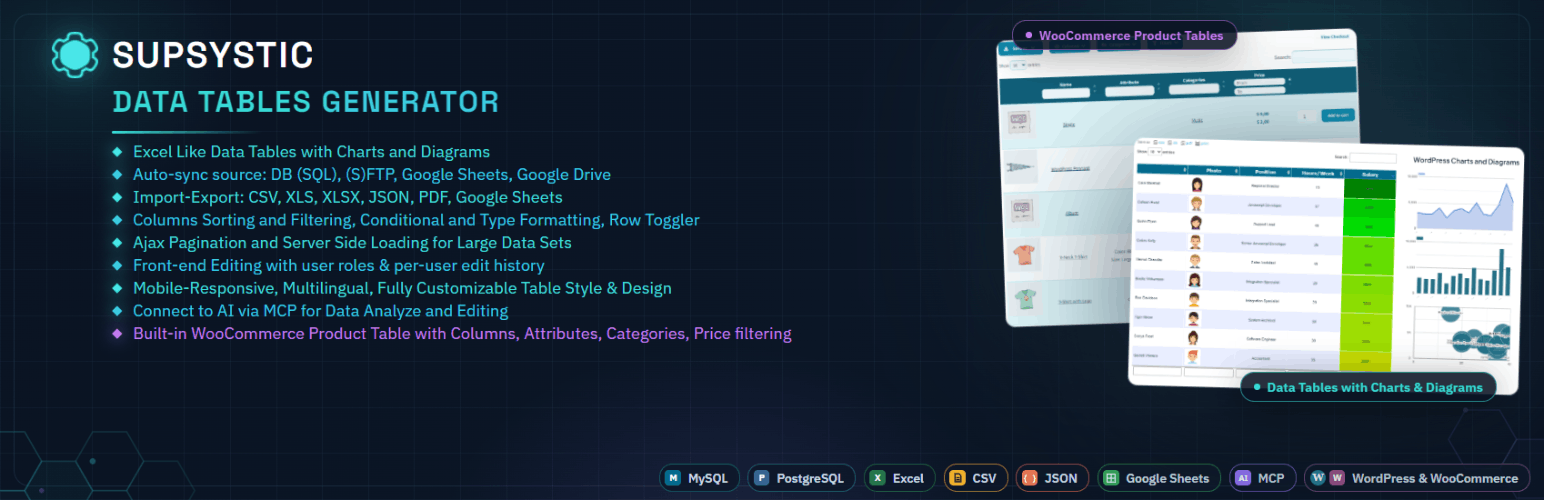
A powerful table builder plugin for WordPress — with built-in charts and graphs. Think of it like Excel spreadsheets for WordPress websites, where your data lives in structured tables and can also be visualised with charts when needed.
Data Tables Generator by Supsystic is a flexible WordPress table plugin that lets you create clean, interactive tables and datatables, with integrated charts and graphs to present structured data clearly — without writing code.
If your content makes more sense in rows and columns — but benefits from visual insights too — this plugin was built for you.
🤖 Now Works With AI — Control Your Tables by Typing or Talking
Data Tables Generator now connects directly to the AI tools you already use — including ChatGPT, Claude, Gemini, Copilot, Cursor, and any other AI assistant that supports the MCP standard.
Instead of clicking through menus, just ask:
- "What’s the average value in column B?”
- "Which rows have a quantity below 10?”
- "Give me a summary of this table.”
Your AI assistant reads your WordPress tables and answers instantly. No SQL. No exports. No manual scanning.
Included free: read and analyse any table using AI chat or voice.
⚡ Pro AI Add-On — Create, Edit and Manage Tables With AI
Upgrade to the Pro AI add-on and your AI assistant goes from reader to editor. Just describe what you want done:
- "Create a pricing table with three tiers.”
- "Add a new column for discount percentage.”
- "Apply a formula to calculate totals in the last row.”
- "Export this table as Excel.”
No need to open the WordPress dashboard. Non-technical team members can create and update structured data safely, just by asking.
Free = ask questions about your data. Pro AI = create, edit and manage it.
🛒 WooCommerce Product Table — Build Product Tables From Your Store
Data Tables Generator now includes a dedicated table type for WooCommerce stores. When WooCommerce is active, the Table Creation Wizard lets you choose between a regular Data Table or a WooCommerce Product Table, built specifically for displaying and managing store products.
Free version includes:
- Manual product assignment
- Column sorting
- Loader selection and loader icon colour customisation
Upgrade to Pro and unlock advanced product table tools:
- Include Categories
- Exclude Product IDs
- Custom Design Templates and Styles
- Search Columns
- Attribute Filtering
- Hide Priority for specific columns in responsive mode
- Search by Hidden Column
- and many other advanced features
Use a WooCommerce Product Table to build searchable product catalogues, comparison tables, and pricing lists, without writing code and without leaving WordPress.
📊 Turn Data Into Usable Tables (and Visuals)
Create:
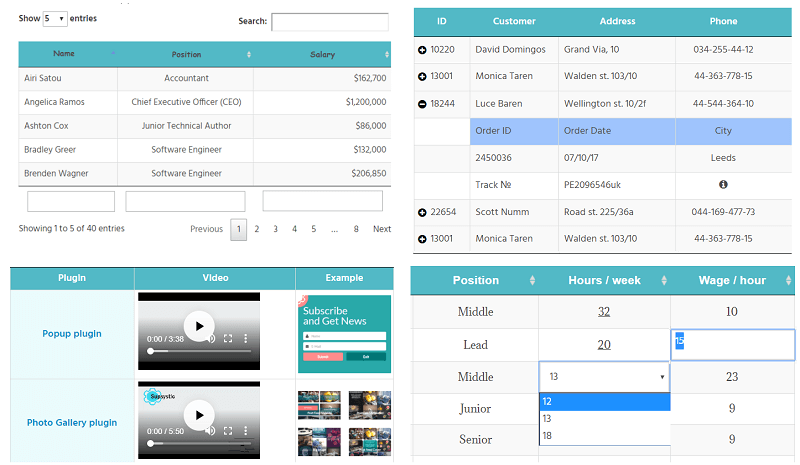
- Simple and complex data tables
- Comparison and pricing tables
- Lists, schedules, directories, and datasets
- Large tables built from spreadsheet-style data
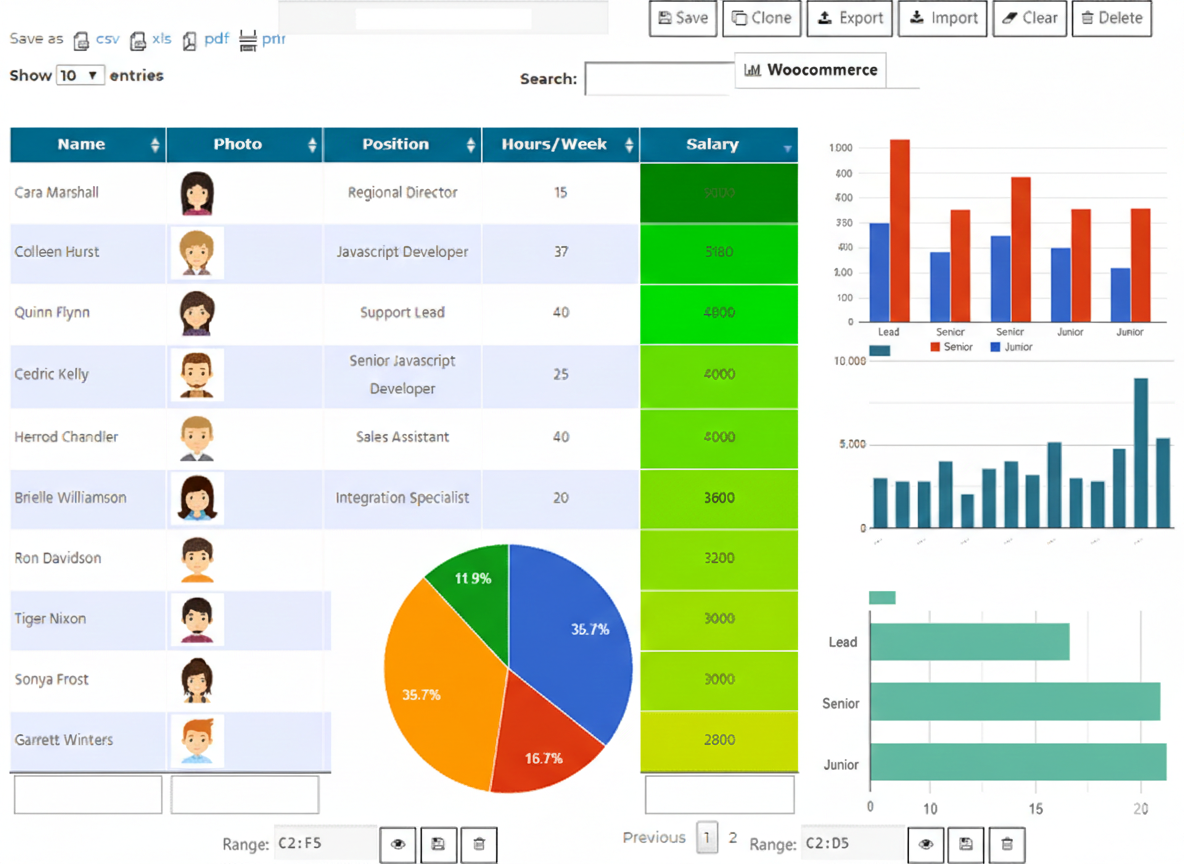
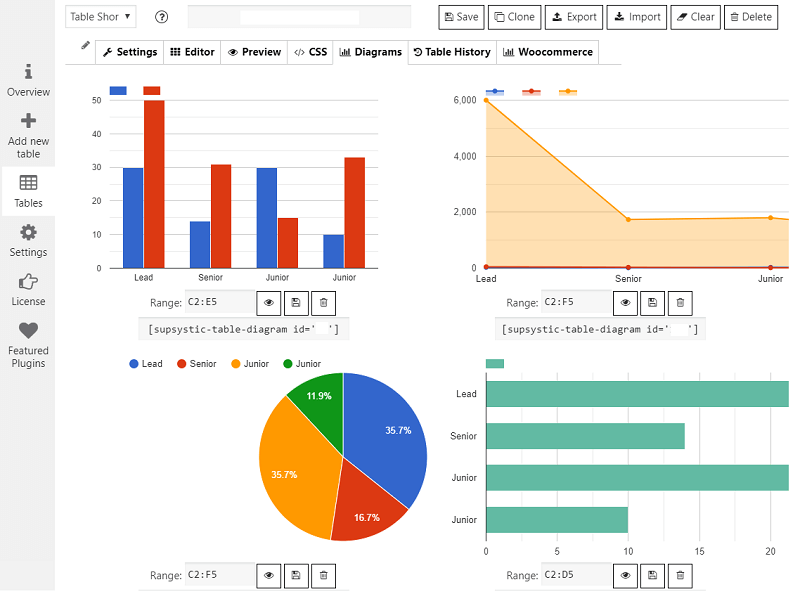
- Charts and graphs generated directly from table data
Tables are responsive by default and remain readable on all devices.
🧩 A Serious Table Builder — Not Just a Block
This is a dedicated table builder, designed for real data.
Built for table-heavy content where structure and usability matter:
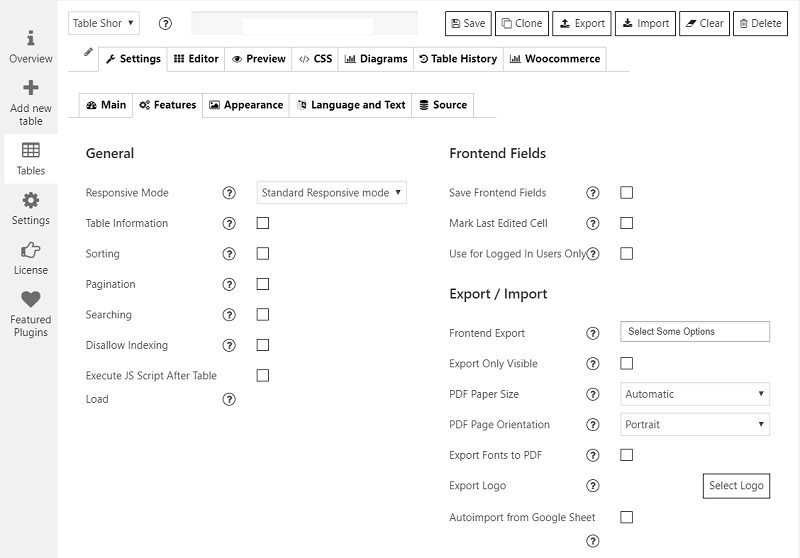
- Sorting, searching, and pagination
- Column control and visibility options
- Reliable performance with large datatables
- Visual charts to highlight trends and comparisons
You get structured tables and visual storytelling in one plugin.
📥 Import From Spreadsheet & Database Sources
Create tables manually or import data from:
- CSV files
- Excel spreadsheets
- Google Sheets
- MySQL databases
Ideal if your data already lives outside WordPress.
🔄 Work With Dynamic Data
Data Tables Generator supports tables connected to external data sources.
When your source data changes — such as a spreadsheet or database — tables can be updated without rebuilding them from scratch. This makes it suitable for data that evolves over time, not just static content.
For example:
If you manage a product list, pricing table, availability sheet, or catalogue in a spreadsheet, you can connect it to a table on your site.
When prices, descriptions, or other data change in the source file, the table can be updated without manually editing it inside WordPress.
🎨 Style Tables to Match Your Site
Customise tables and charts visually:
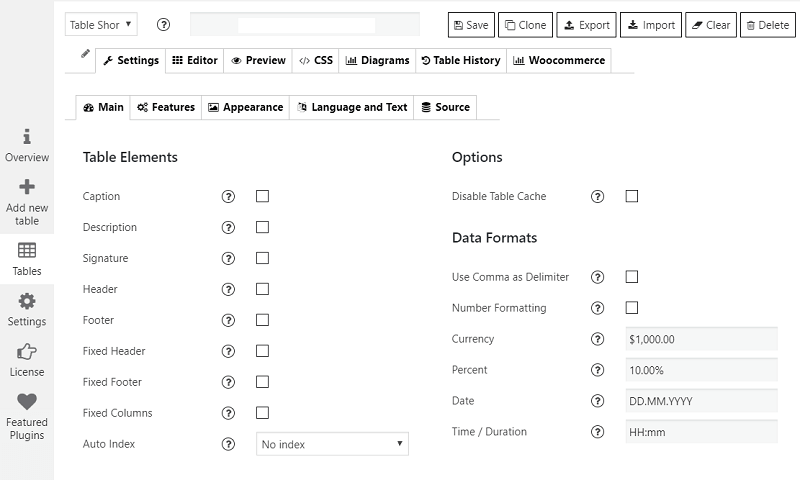
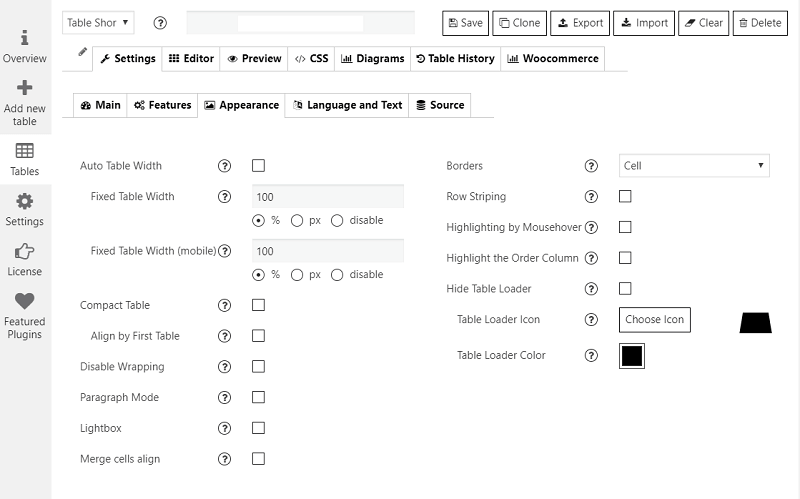
- Fonts, colours, borders, and spacing
- Row and column formatting
- Links, images, icons, and tooltips
- Optional custom CSS is available for advanced users.
Table cells can also include images and video, allowing you to build richer layouts — such as:
- Product or feature comparison tables with short demo videos
- Staff or team directories with profile media
- Data lists where visuals explain context better than text
📘 Learn as You Go
Data Tables Generator includes a growing library of step-by-step tutorials.
From your first table to more advanced setups with charts and larger datasets, the guides focus on practical, real-world use cases.
⚡ Fast, Stable, and Actively Maintained
Built to handle real-world data without slowing down your site. The plugin is regularly updated to stay compatible with the latest versions of WordPress and modern themes.
⚙️ Beginner Friendly. Developer Capable.
- Visual table builder UI
- Insert tables using shortcodes or blocks
- Extend behaviour with custom CSS or JavaScript
Suitable for site owners, agencies, and developers alike.
🔓 Free Version + Pro When You Need More Power
The free version covers most common table use cases Upgrade to Pro and is ideal for getting started — including free AI read and analyse access.
As your data grows or requirements become more advanced, the Pro version unlocks tools designed to save time and reduce manual work, including:
- Formula calculations and computed values
- Advanced filtering and search logic
- Front-end table editing
- Additional import and export options
- Enhanced chart and visualisation features
❤️ Real Support From People Who Know the Plugin
Data Tables Generator is actively maintained and supported by a team that builds, uses, and supports the plugin every day.
When you need help, you’ll be talking to Get support who live and breathe tables.
اسکرین شاٹس
عمومی سوالات
How do I create my first table?
After installing the plugin, go to Data Tables Add New in your WordPress dashboard.
You can start with a blank table or import data from a spreadsheet. The table editor works much like a spreadsheet, so adding rows, columns, and content should feel familiar.
How can I edit table data after it’s created?
You can edit table data at any time from the table editor in the WordPress admin area.
For more advanced workflows, the Pro version also supports front-end table editing, allowing authorised users to update data directly from the site interface.
Can I style tables to match my site design?
Yes. Tables can be styled visually to match your theme.
You can control fonts, colours, borders, spacing, and layout options directly in the plugin. Advanced users can also apply custom CSS if needed.
Can I import data from Excel, CSV, or Google Sheets?
Yes. Data Tables Generator supports importing data from CSV files, Excel spreadsheets, Google Sheets, and MySQL databases.
This makes it easy to turn existing spreadsheet data into interactive tables on your WordPress site.
How do I add a table to a page or post?
Tables can be added to pages or posts using shortcodes or blocks.
Once inserted, the table will automatically reflect any updates made in the table editor.
Can I add images, links, or media inside tables?
Yes. Table cells can include images, links, icons, videos, and other HTML elements.
This allows you to create richer tables such as product comparisons, staff directories, or feature lists with visual elements.
Does the plugin support formulas and calculations?
Yes — formula calculations and computed values are available in the Pro version.
This is useful for totals, percentages, and other calculated fields that update automatically when table data changes.
Does the plugin support dynamic or updating data sources?
Yes. Tables can be connected to external data sources such as spreadsheets or databases.
When the source data changes, tables can be updated without rebuilding them from scratch. This makes the plugin suitable for data that evolves over time, not just static content.
Is Data Tables Generator fast and compatible with modern WordPress sites?
Yes. The plugin is designed to handle real-world datasets while maintaining good performance.
It is actively maintained and regularly updated to stay compatible with current versions of WordPress, modern themes, and common page builders.
What is a WooCommerce Product Table?
It is a table type built specifically for WooCommerce stores. Instead of manually entering data, you assign WooCommerce products to the table and display them with sorting, search, and filtering options.
Do I need WooCommerce installed to use this feature?
Yes. The WooCommerce Product Table option only appears in the Table Creation Wizard when WooCommerce is active on your site. Regular Data Tables work with or without WooCommerce.
Is WooCommerce Product Table available in the free version?
Yes. The free version includes manual product assignment, column sorting, and loader customisation. The Pro version adds category and product filtering, custom design templates, attribute filtering, search by hidden columns, and other advanced features.
Can I mix regular Data Tables and WooCommerce Product Tables on the same site?
Yes. Both table types are created and managed from the same plugin, so you can use a regular Data Table for general content and a WooCommerce Product Table for store products, side by side.
What AI assistants does this work with?
Data Tables Generator connects to any AI assistant that supports the MCP standard, including ChatGPT, Claude, Gemini, Microsoft Copilot, and Cursor. If your AI tool supports MCP, it works.
Do I need technical skills to use the AI features?
No. Once connected, you simply type (or speak) what you want in your AI assistant — just like sending a message. No SQL, no coding, no exporting data manually.
What can I do with AI for free?
The free version lets you read and analyse any of your WordPress tables using AI. You can ask questions, run calculations, and get summaries — but cannot create or edit tables via AI. That requires the Pro AI add-on.
What does the Pro AI add-on let me do that the free version doesn’t?
With the Pro AI add-on your AI assistant can create new tables, edit existing ones, apply formulas, change formatting, and import or export data — all just by describing what you want done.
Do I need the Pro base plugin before I can get the AI add-on?
Yes. The Pro AI add-on requires the Pro version of Data Tables Generator to be installed first.
Is the AI add-on included in the Pro plugin price?
No. The Pro AI add-on is a separate module, available at an additional cost. You can purchase them together as a bundle.
Will this work with future AI assistants, not just the ones listed?
Yes. The integration is built on MCP — an open standard being adopted broadly across the AI industry, including natively in WordPress from version 7.0 onwards. Any AI assistant that supports MCP will work automatically.
Where can I find tutorials, documentation, and support?
You’ll find step-by-step documentation and tutorials on the Supsystic website.
Some guides are written walkthroughs, while others are available as video tutorials.
If you need help, support is provided by real people who build and use the plugin every day.
📘 Documentation & tutorials: https://supsystic.com/docs/data-tables/ 🛟 Support: https://supsystic.com/support/
جائزے


شراکت دار اور ڈیویلپرز
“Data Tables Generator by Supsystic” اوپن سورس سافٹ ویئر ہے۔ مندرجہ ذیل لوگوں نے اس پلگ ان میں حصہ لیا:
شراکت دار
“Data Tables Generator by Supsystic” کا اپنی زبان میں ترجمہ کریں۔
ڈویلپمینٹ میں دلچسپی ہے؟
کوڈ براؤز کریں، ایس این وی ریپوزیٹری کو چیک کریں یا ڈویلپمینٹ لاگ کو سبسکرائب کریں بذریعہ آر ایس ایس۔
چینج لاگ
2026
1.13.0 — July 28, 2026
- Fixed a critical error that could occur during automatic Google Sheets imports.
- Replaced the legacy contact form on the Overview screen with a direct link to our support team, so help is always one click away.
- Completed a full compatibility review across the plugin’s core and bundled libraries, keeping everything running cleanly from PHP 7.4 through the newest PHP 8.5.
- General security hardening and stability improvements.
1.12.05 — July 23, 2026
- Applied a small fix to keep table migrations running smoothly.
1.12.04 — July 15, 2026
- Added further security hardening to keep your table data safe.
- General stability improvements.
1.12.03 — July 2, 2026
- General stability improvements.
1.12.02 — July 1, 2026
- Added a new (S)FTP auto-sync source, so tables can pull data on a schedule without any manual re-import.
- Added PostgreSQL support as a database source.
- Fixed an issue with apostrophes appearing incorrectly in table data.
1.12.01 — June 24, 2026
- Fixed a CSS conflict that could leak styles onto other elements on the page.
1.12.0 — June 22, 2026
- Added a brand-new table creation wizard to help you get started faster.
- Added a dedicated WooCommerce Product Table type with advanced display options.
- Added compatibility with WordPress 7.0.
1.11.2 — May 25, 2026
- Improved REST API endpoint reliability.
- Added further compatibility improvements for PHP 8+.
- Fixed hyperlink rendering and a text-concatenation issue.
1.11.1 — April 29, 2026
- Added the option to show column titles above column search fields, with duplicate labels hidden automatically.
- Improved asset loading for the collapsible row feature.
1.11.0 — April 2, 2026
- Added compatibility with WordPress 6.9.4.
- Introduced the new AI-powered table assistant (read and analyse your tables with ChatGPT, Claude, Gemini, and more).
- Refined the plugin’s design, fixed a licensing display issue, and added further security hardening.
1.10.48 — March 16, 2026
- Fixed a PHP error in the export libraries and a nonce validation issue.
- Optimised the codebase and removed an outdated WooCommerce notice.
1.10.47 — January 19, 2026
- Confirmed compatibility with WordPress 6.9 and PHP 8.4.
- Fixed a caching issue and added further stability improvements.
2025
- Closed a legacy vulnerability in the cache-cleaning routine.
- Refreshed the plugin overview screen and fixed a fatal error that could occur during installation on some servers.
- General stability and maintenance improvements.
- Versions released: 1.10.38–1.10.46.
2024
- Fixed a security issue in the promotional module.
- Improved handling of conditional-formatting styles during import.
- General stability and usability improvements.
- Versions released: 1.10.32–1.10.37.
2023
- Added the Love Link feature.
- Improved nonce security and fixed the free-to-Pro migration flow.
- Added compatibility fixes for PHP 8.2.
- Versions released: 1.10.26–1.10.30.
2022
- Added support for WordPress 6.0 and 6.1, and PHP 8.1.
- Migrated PDF export to the mPDF library for more reliable exports.
- Fixed several XSS security issues and refined the interface.
- Versions released: 1.10.14–1.10.25.
2021
- Added support for PHP 8.
- Fixed several XSS security issues.
- Fixed import, table-layout, and formula-rendering issues.
- Versions released: 1.10.0–1.10.13.
2020
- Migrated the import/export engine to PHP Spreadsheet for better long-term reliability.
- Added support for WordPress 5.5.
- Applied multiple security hardening fixes and general stability improvements.
- Versions released: 1.9.85–1.9.99.