

تفصیل
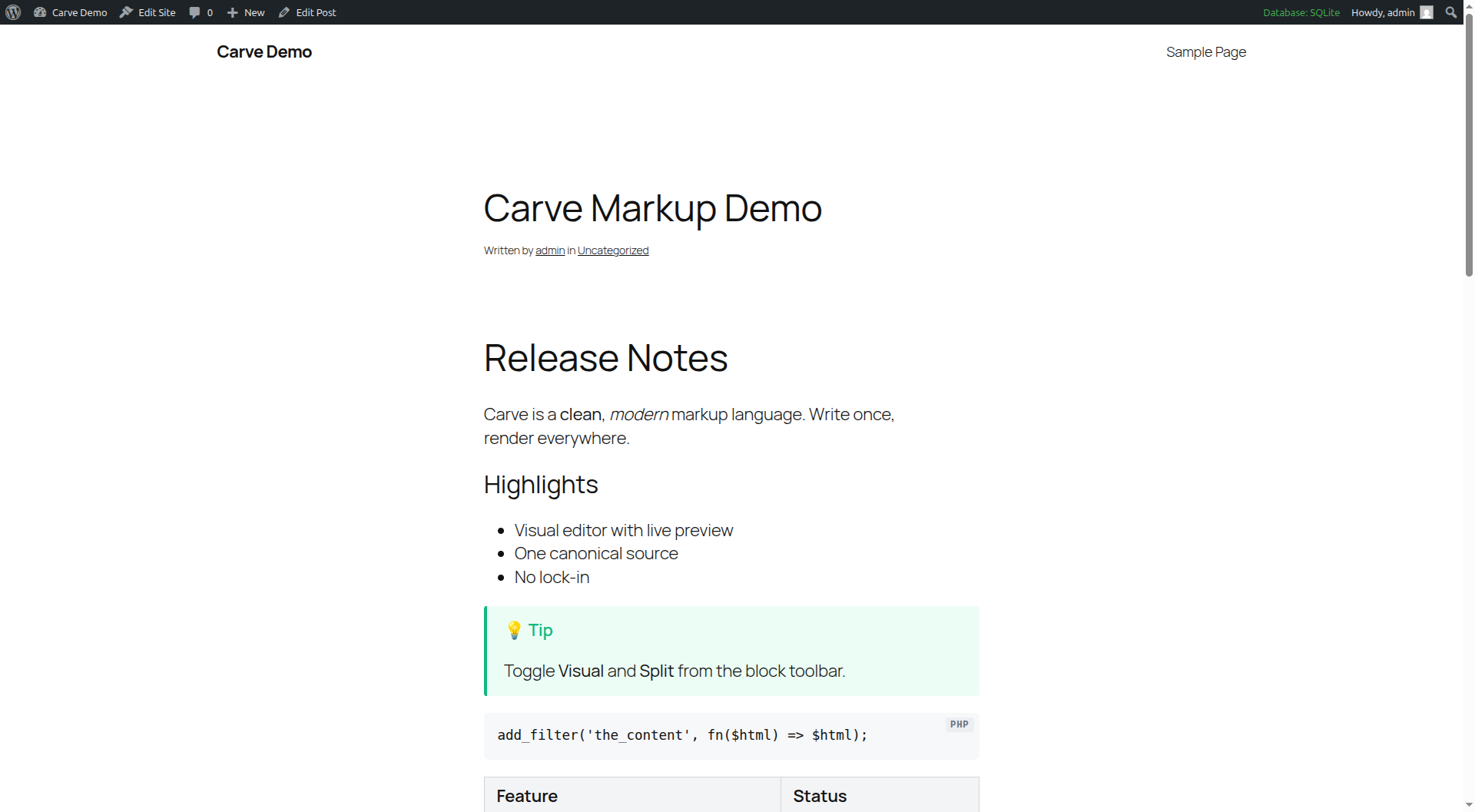
Carve is a post-Djot, post-Markdown markup language. This plugin renders Carve to HTML in WordPress, powered by the markup-carve/carve-php engine.
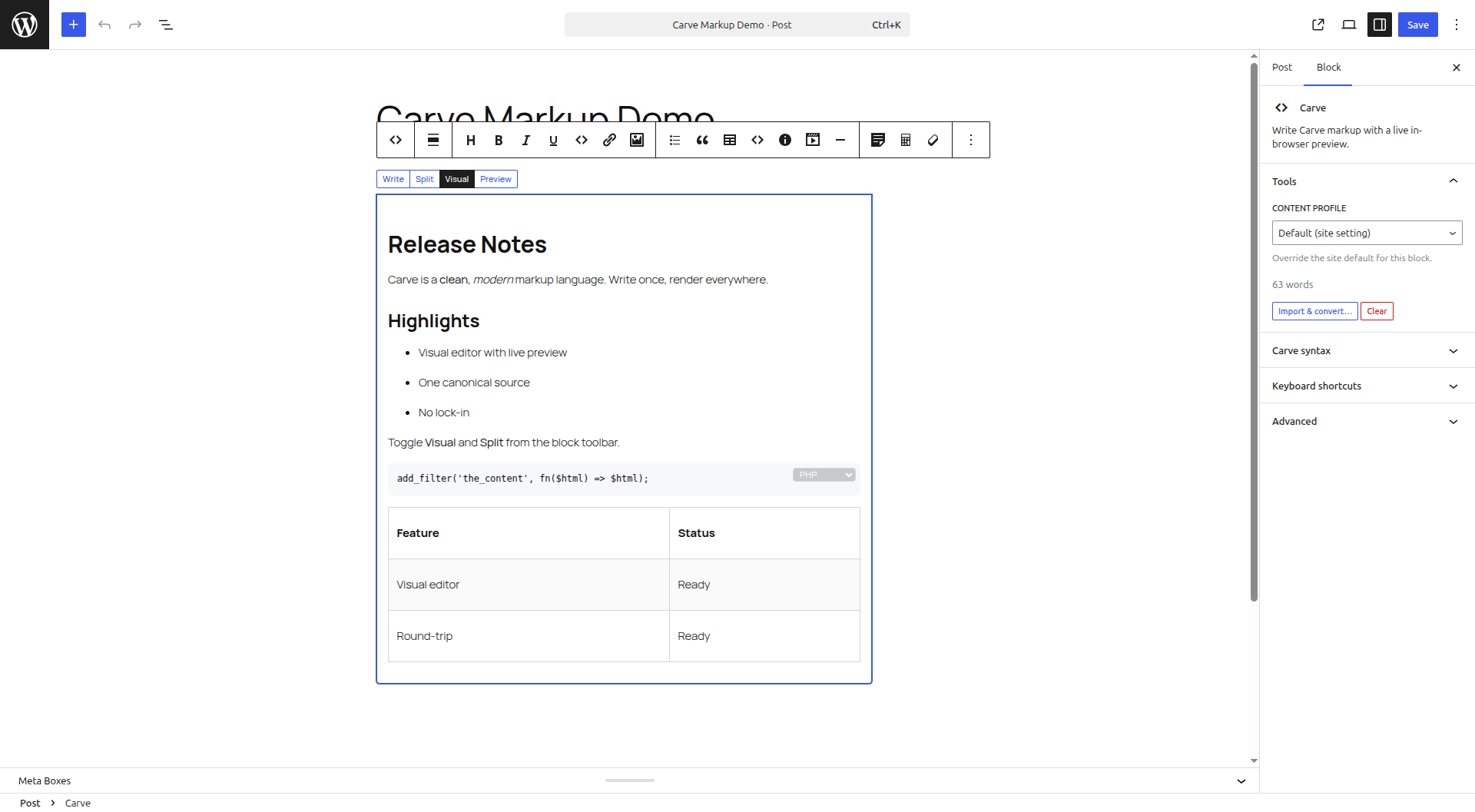
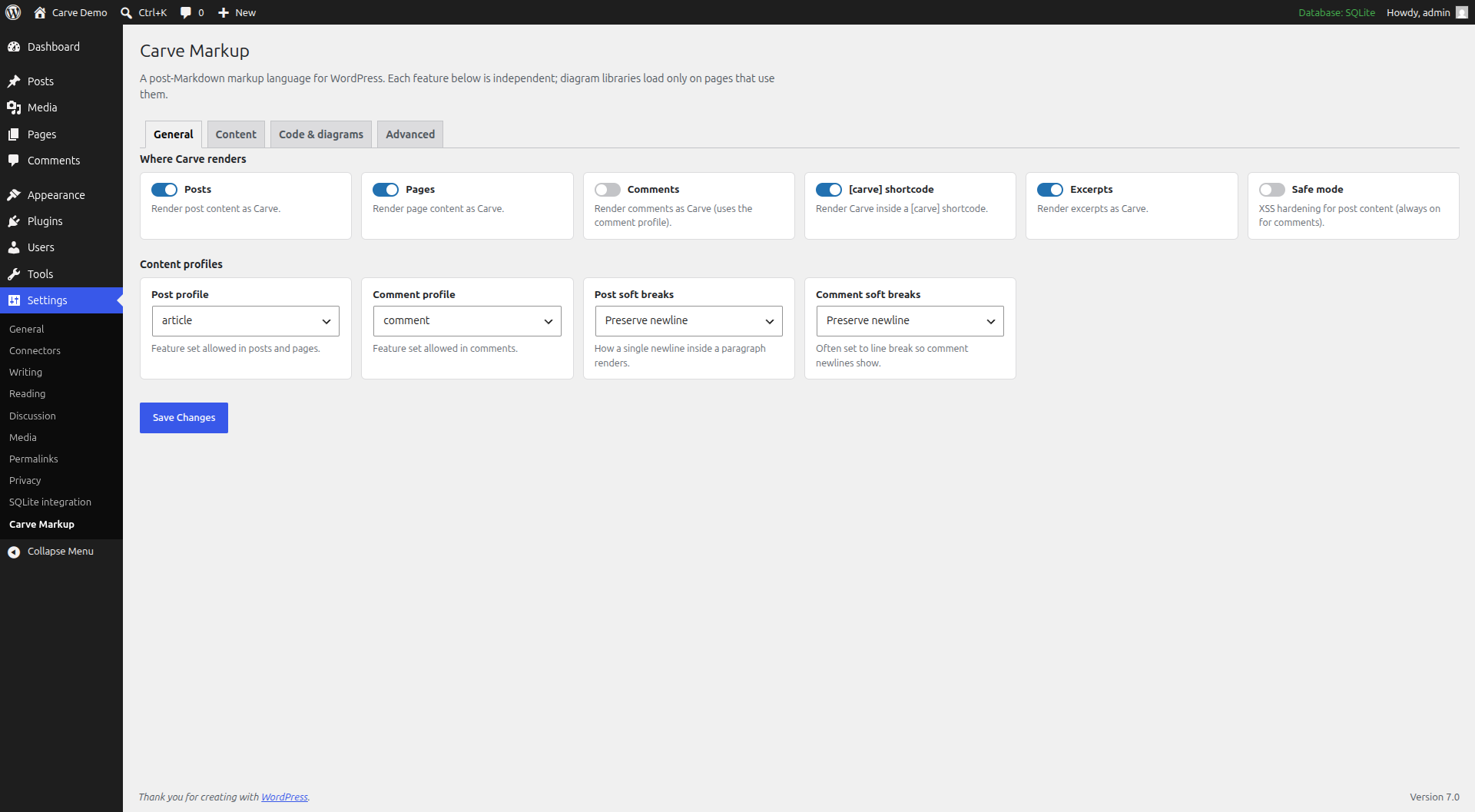
Features: per-post "Render as Carve” mode, a [carve] shortcode, a Gutenberg block with a visual (WYSIWYG) editor, comment support, content profiles, table of contents, heading permalinks, smart quotes, Mermaid, and WP-CLI migration.
Beyond a typical markup plugin:
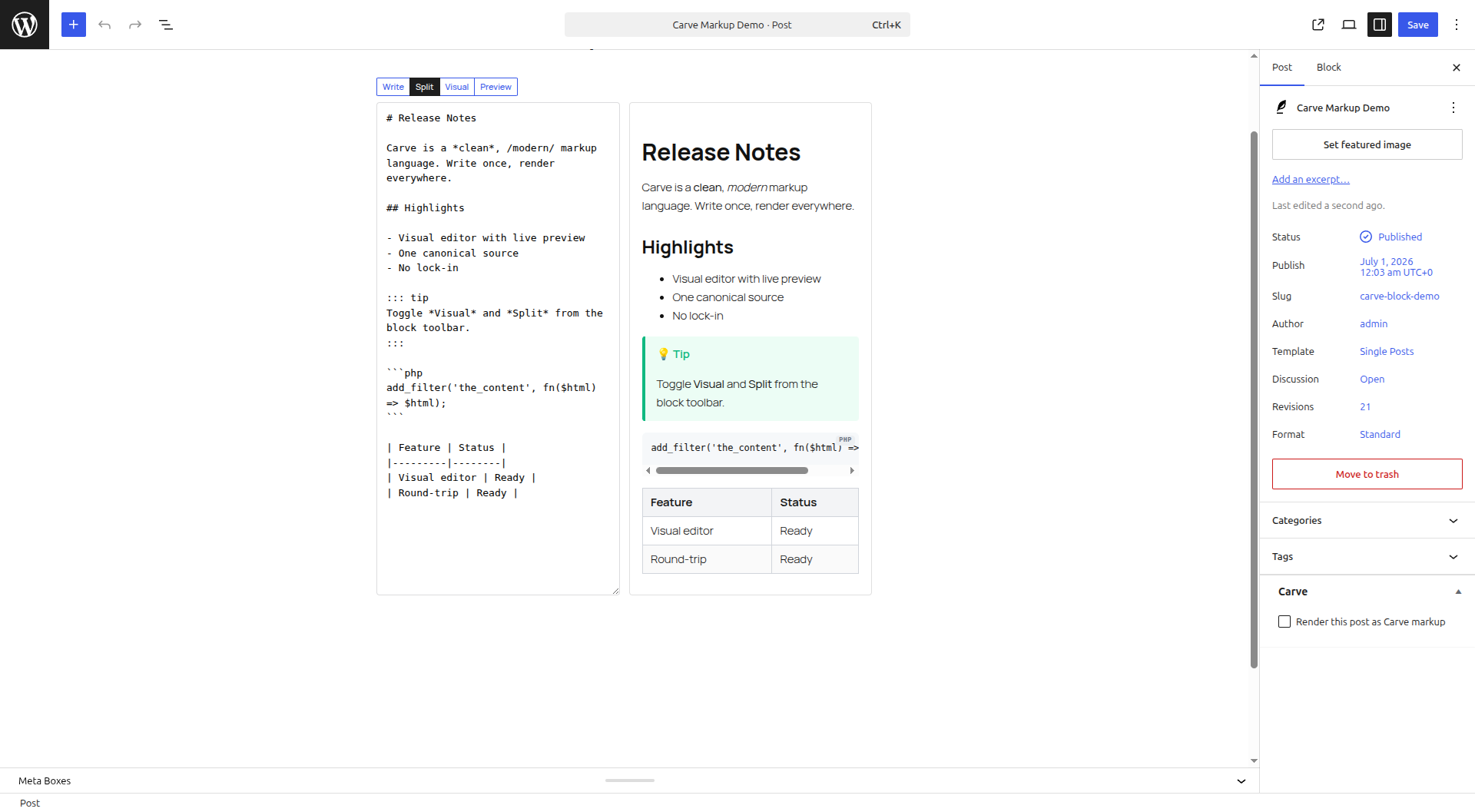
- Visual editor with Write / Split / Visual / Preview tabs. Edit visually or in source; every change round-trips to canonical Carve, and you are only warned when visual editing would change the rendered output.
- Instant in-browser preview using the Carve JS engine (no server round-trip).
- Paste or import Markdown, Djot, BBCode or HTML and convert to Carve in place; export any post as a .carve file.
- Map typed frontmatter (yaml/json/toml) to excerpt, SEO and post meta.
- Cache rendered HTML at save time; render via REST for headless WordPress.
اسکرین شاٹس
بلاکس
یہ پلگ ان 2 بلاکس مہیا کرتی ہے۔
- Carve Slides Turn Carve markup into a keyboard-friendly slide deck.
- Carve Write Carve markup with a live in-browser preview.
انسٹالیشن
- In your dashboard go to Plugins -> Add New, search for "Carve Markup”, then install and activate. Or upload the plugin ZIP under Plugins -> Add New -> Upload Plugin.
- Configure under Settings -> Carve Markup.
Installing from source (GitHub) instead? Run composer install --no-dev, optionally npm install && npm run build for the in-browser preview, then activate.
جائزے
There are no reviews for this plugin.
شراکت دار اور ڈیویلپرز
“Carve Markup” اوپن سورس سافٹ ویئر ہے۔ مندرجہ ذیل لوگوں نے اس پلگ ان میں حصہ لیا:
شراکت دار
“Carve Markup” کا اپنی زبان میں ترجمہ کریں۔
ڈویلپمینٹ میں دلچسپی ہے؟
کوڈ براؤز کریں، ایس این وی ریپوزیٹری کو چیک کریں یا ڈویلپمینٹ لاگ کو سبسکرائب کریں بذریعہ آر ایس ایس۔
چینج لاگ
0.1.0
- Initial release: render Carve in posts, pages and comments; [carve] shortcode and carve/markup + carve/slides blocks.
- Visual (WYSIWYG) editor with Write / Split / Visual / Preview tabs, a unified toolbar, an in-block code-language picker and keyboard shortcuts.
- Import Markdown / Djot / BBCode / HTML and export posts as .carve.
- Live in-browser preview, frontmatter-to-meta, content profiles, table of contents, heading permalinks, smart quotes, diagram renderers, media embeds, bundled syntax highlighting, render caching and a REST endpoint.