

تفصیل
Joomill Elements adds a set of handy extra elements to the YOOtheme Pro page builder, so you can build more without custom code. The plugin only loads when the YOOtheme theme is active.
Elements in the free version
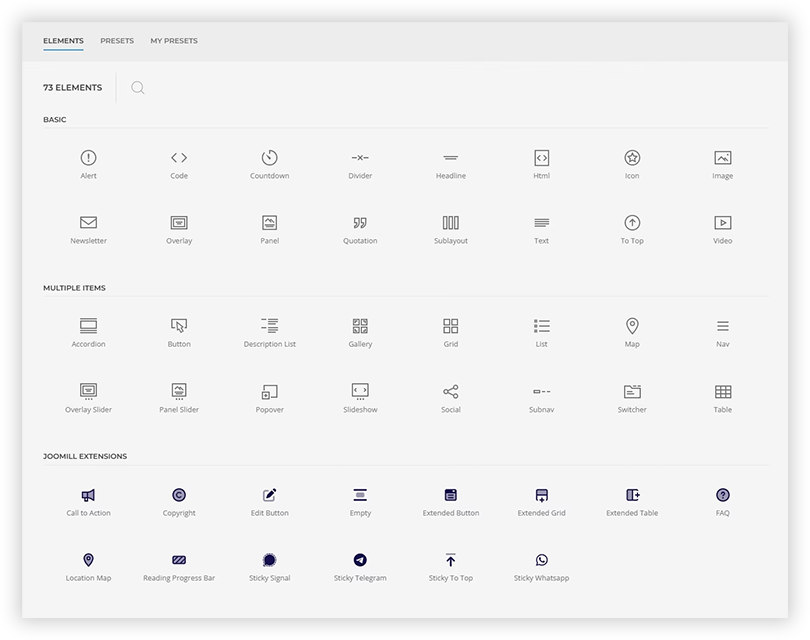
- Sticky Scroll to Top button
- Sticky WhatsApp button
- Sticky Signal button
- Sticky Telegram button
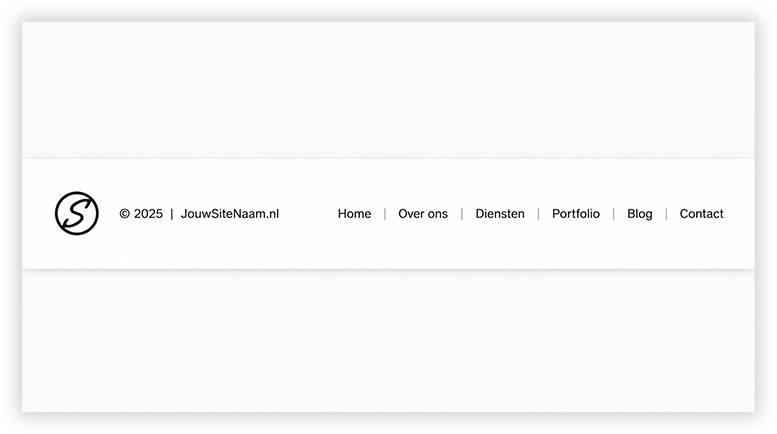
- Copyright (dynamic year range and site name)
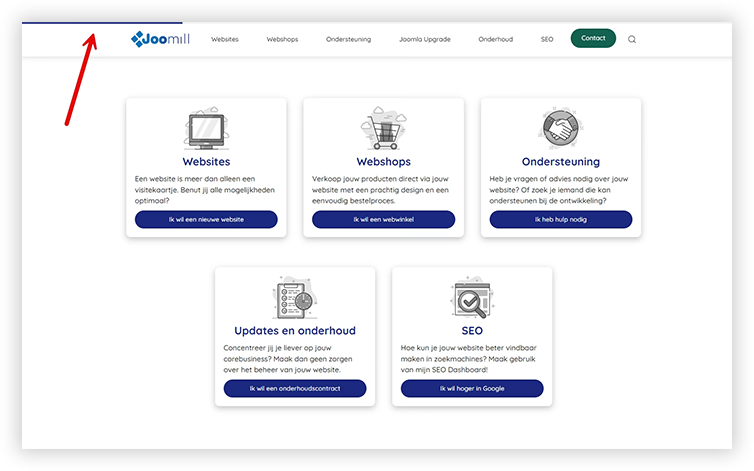
- Reading Progress bar
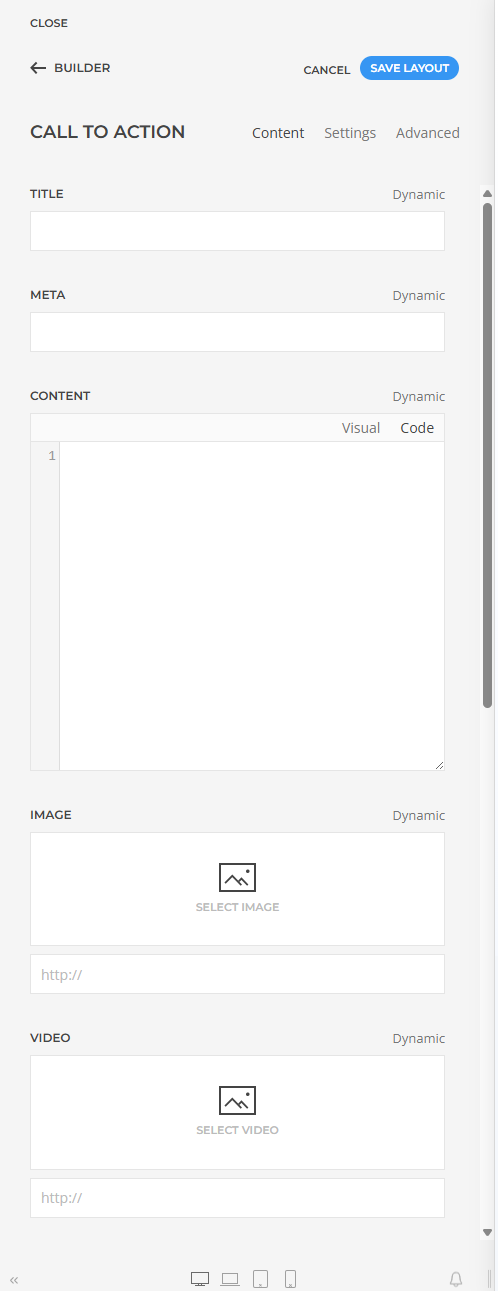
- Call to Action (title and button)
- Spacer
Each element integrates with YOOtheme Pro’s own styling options and uses UIkit, so it matches your theme out of the box.
Pro version
A Pro version adds more advanced elements: Extended Grid, Extended Table, Extended Button, Location Map, a Sticky Button, a Loom video embed and an FAQ element with schema.org structured data. In the builder these appear marked as Pro. See joomill-extensions.com for details.
اسکرین شاٹس
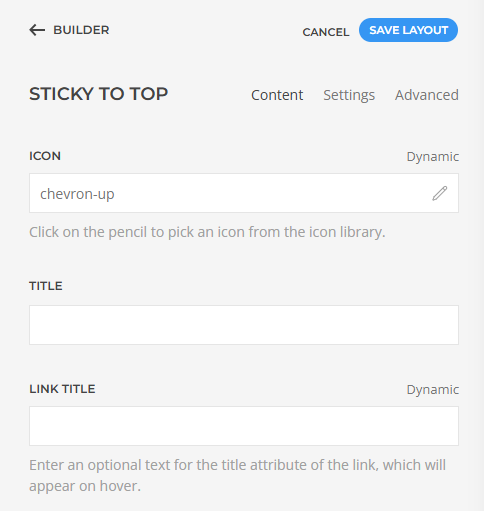
انسٹالیشن
- Make sure the YOOtheme Pro theme is installed and active.
- Upload the plugin through Plugins > Add New > Upload Plugin, or install it from the WordPress.org plugin directory.
- Activate the plugin.
- The elements appear in the YOOtheme Pro builder under the "Joomill Extensions” group.
عمومی سوالات
-
Does this work without YOOtheme Pro?
-
No. The plugin extends the YOOtheme Pro page builder and only loads when the YOOtheme theme is active.
-
Where do the elements show up?
-
In the YOOtheme Pro builder, in the element panel under the "Joomill Extensions” group.
جائزے
There are no reviews for this plugin.
شراکت دار اور ڈیویلپرز
“Joomill Elements for YOOtheme Pro” اوپن سورس سافٹ ویئر ہے۔ مندرجہ ذیل لوگوں نے اس پلگ ان میں حصہ لیا:
شراکت دار
“Joomill Elements for YOOtheme Pro” کا 1 زبان میں ترجمہ کیا گیا ہے۔ تعاون کے لیے مترجمین کا شکریہ۔
“Joomill Elements for YOOtheme Pro” کا اپنی زبان میں ترجمہ کریں۔
ڈویلپمینٹ میں دلچسپی ہے؟
کوڈ براؤز کریں، ایس این وی ریپوزیٹری کو چیک کریں یا ڈویلپمینٹ لاگ کو سبسکرائب کریں بذریعہ آر ایس ایس۔
چینج لاگ
2.3.0 – 2026-08-27
- Added: Location Map now has a Position option for the location list: Right (as before), Left, Above or Below the map. Above and below the locations are laid out in a grid across the full width, with their own column count, breakpoint and gap
- Added: Location Map can give every individual location its own card or tile style, with a padding and an optional hover lift, instead of a plain list row
- Added: Loom HQ element. Embeds a Loom video from a share or embed link, with width/height (aspect ratio only, one value keeps 16:9), a start timestamp (accepts 80, 80s, 1m20s, 1:20 and 1:02:03), a frame title for screen readers, muted and autoplay, and the Loom player toggles for the external link button, top bar, title, creator avatar and playback speed. Styling covers box shadow, box decoration (including inverse), border width/style/color and corner radius. Click-to-load is on by default: a placeholder is shown and nothing is requested from loom.com until the visitor clicks it, or, with autoplay enabled, until it scrolls into view. Without JavaScript the placeholder stays a plain link to the video
- Added: Sticky Button element. A fixed-position button with a text and an icon, styled like a regular YOOtheme button. Offers the standard button styles and sizes, icon alignment left/right with an optional icon width and color, a text style and color, plus the sticky-button overrides for background, hover color, border radius, padding and box shadow. Includes a link picker with the usual attributes (new window, download, nofollow, noreferrer), a tooltip, a link title and an ARIA label, and the nine-way element position
- Added: the builder interface of the Joomill elements can now be translated, through YOOtheme Pro’s own translator. Dutch, German, French, Italian and Spanish translations ship, covering the element titles, field labels, group titles, checkbox texts and descriptions of every element; other locales can be added as a single JSON file
- Fixed: the Meta field printed HTML as visible text instead of rendering it, so a WooCommerce price bound to it showed up as literal markup. Meta is no longer escaped, and del, ins and bdi were added to the output allow-list, since a WooCommerce price uses bdi for the currency direction and del/ins for a sale price. Affects Extended Grid, Extended Table and Call to Action
- Fixed: Location Map shipped seven Dutch strings in its English sample data and field placeholders (Locatienaam, Locatie 1, Locatie 2, Voorbeeldstraat 1, Voorbeeldlaan 5, Lees meer, Alle locaties); they are now English
- Fixed: the Sticky WhatsApp element was listed in the builder as "Sticky Whatsapp”; the brand is spelled WhatsApp, as it already was everywhere else in the same element
- Fixed: the JOOMILLELEMENTS_VERSION constant used for asset cache-busting was still on 2.2.2 while the plugin header read 2.2.3, so updated element assets could be served from cache
2.2.3
- Improved: the extra color slots (Tertiary-Octonary) are no longer compiled into the theme stylesheet when every slot is hidden through YOOtheme Customizer > Settings > Color Labels. The "Hide from page builder” checkbox previously only filtered the builder dropdowns, while the LESS for all six slots kept being compiled. On a site that uses none of them the stylesheet gets substantially smaller. Leaving a single slot visible changes nothing. Note that YOOtheme derives its stylesheet cache buster from the theme config, so after updating the plugin the Customizer has to be saved once before returning visitors receive the smaller stylesheet
- Changed: removed the general YOOtheme Customizer > Styling options for Reading Progress, Sticky To Top/WhatsApp/Signal/Telegram, Copyright and Extended Grid, in favor of per-element fields (e.g. icon hover color, button background/border-radius/padding/box-shadow on the sticky buttons; subnav link/divider styling on Copyright). Existing site-wide customizations made through that panel keep rendering exactly as before; they just can no longer be edited from that panel and can now be fine-tuned per element instead.
- Fixed: Reading Progress "Custom Bar Color” field stayed disabled even when Bar Color was set to Custom
2.2.2
- Lower the minimum requirements to WordPress 6.0 and PHP 8.0
2.2.1
- Security: escape all user-entered text in element output across all elements
2.2.0
- Add Extended Table element
2.1.1
- Fix Style Customizer settings
- Update internal libraries
2.1.0
- Add FAQ element
- Fix install directory
2.0.0
First release: Copyright, Spacer, Reading Progress bar, Sticky Scroll to Top, Sticky Signal and Sticky WhatsApp elements.