

تفصیل
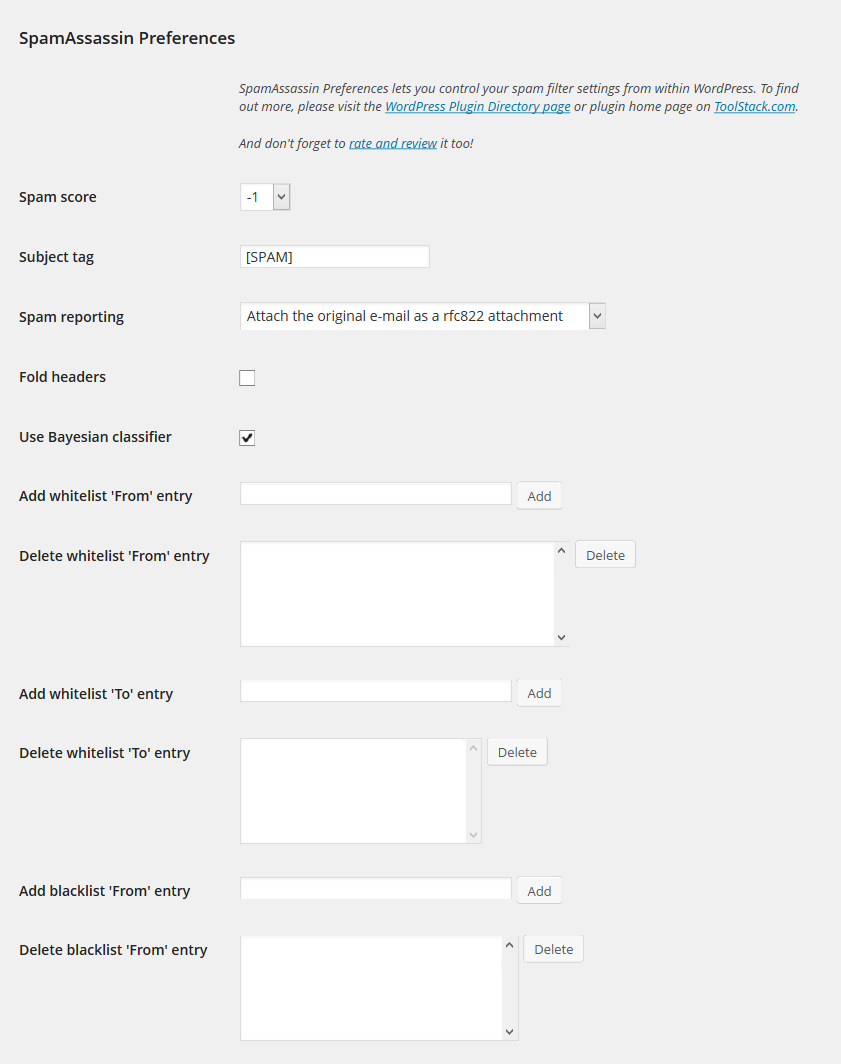
Set your SpamAssassin preferences from your WordPress user profile.
This code is released under the GPL v2, see license.txt for details.
اسکرین شاٹس
انسٹالیشن
- Configure SpamAssassin to use SQL (see https://wiki.apache.org/spamassassin/UsingSQL)
- Extract the archive file into your plugins directory in the sa-prefs folder.
- Activate the plugin in the Plugin options.
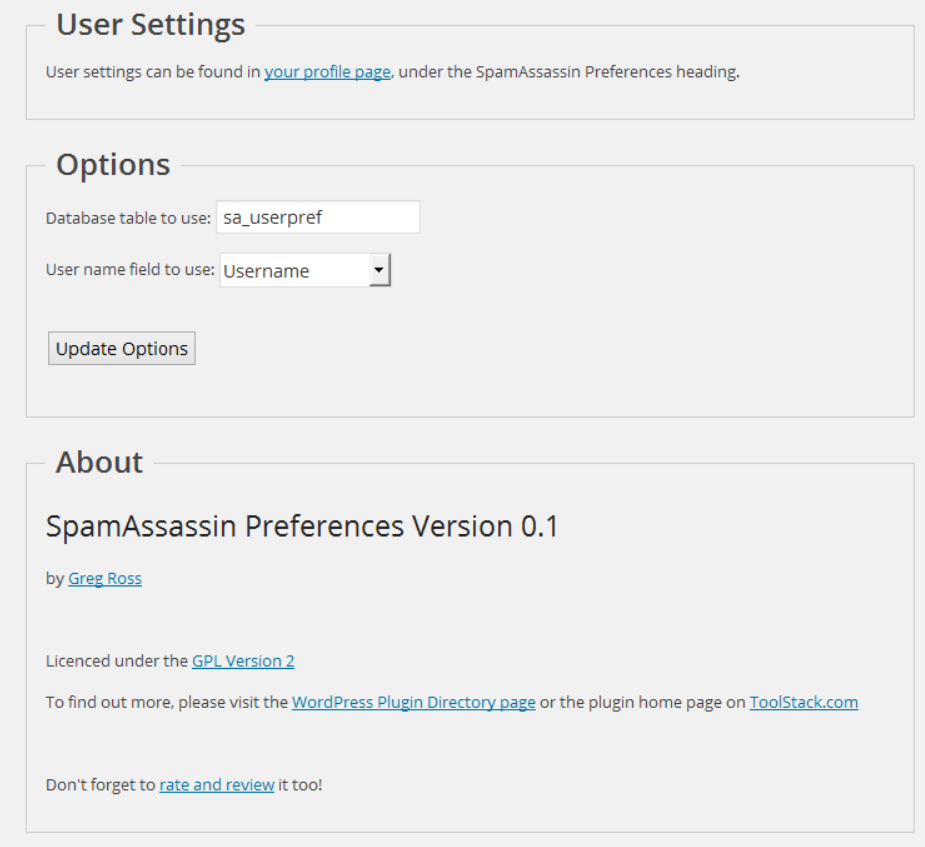
- Configure the plugin options under settings.
- Login to WordPress and go to your profile page, update the options at the bottom.
عمومی سوالات
-
The user preferences are not show up
-
Make sure you have configured your sa_prefs table correctly and set your user field preference as well.
-
Can I select a different database then the WordPress database?
-
Yes, use the database.table notation in the settings page.
-
Can I select a different SQL server then the one WordPress uses?
-
No.
جائزے
There are no reviews for this plugin.
شراکت دار اور ڈیویلپرز
“SpamAssassin Preferences” اوپن سورس سافٹ ویئر ہے۔ مندرجہ ذیل لوگوں نے اس پلگ ان میں حصہ لیا:
شراکت دار
“SpamAssassin Preferences” کا اپنی زبان میں ترجمہ کریں۔
ڈویلپمینٹ میں دلچسپی ہے؟
کوڈ براؤز کریں، ایس این وی ریپوزیٹری کو چیک کریں یا ڈویلپمینٹ لاگ کو سبسکرائب کریں بذریعہ آر ایس ایس۔
چینج لاگ
1.0
- Release date: October 3, 2014
- No changes other than an offical 1.0 release.
0.1
- Release date: July 10, 2014
- Initial release.