
تفصیل
This plugin allows you to export the values of custom fields into a CSV file. You can choose a post type (including defaults posts or pages)
as well as a list of custom field keys you wish to export. The plugin pulls the values for those fields from all instances of your chosen custom post type and provides a link to export them as a CSV file.
= .2 =
*Fixed bug that limited number of posts that could be exported
.r731619
.1
- Initial release of plugin.
اسکرین شاٹس
انسٹالیشن
- Upload
wp-ccsve.zipto the/wp-content/plugins/directory - Activate the plugin through the ‘Plugins’ menu in WordPress
- Go to Settings -> Custom CSV to access the plugins settings.
عمومی سوالات
- How do I choose my post type and custom fields?
-
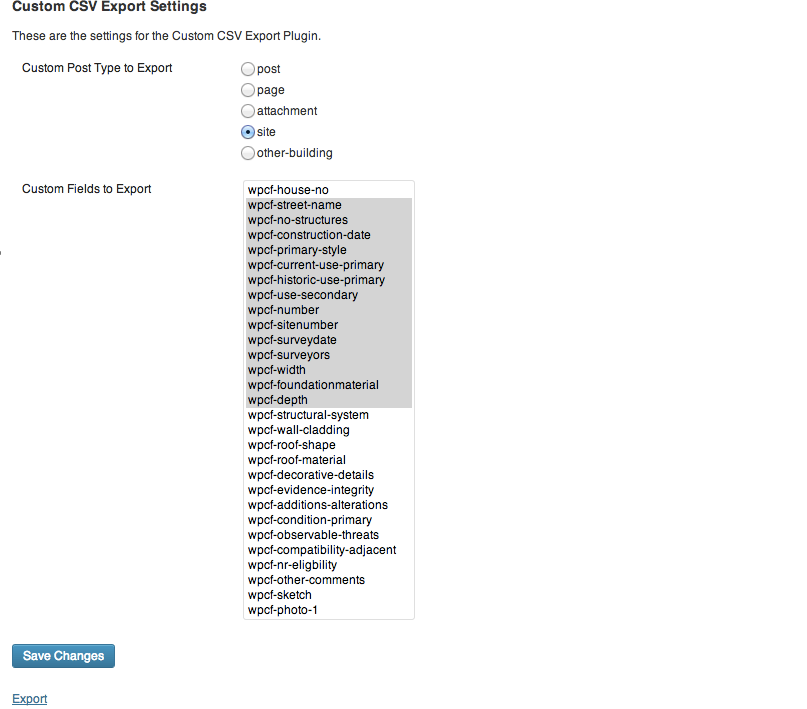
First, choose the post type you wish to export from the plugin’s Settings page. Then click "Save Changes.” At this point, a list of the custom fields associated with that post type will appear. Choose all of the fields you wish to export and click "Save Changes” again. Then click "Export” to get your CSV file.
- I don’t see any custom fields on the Settings page. How come?
-
In the current version of the plugin, you mush first choose your post type and click "Save Changes” before you can see a list of the associated custom fields. Be sure to click "Save Changes” again in order to save your choices.
جائزے
There are no reviews for this plugin.
شراکت دار اور ڈیویلپرز
“Custom CSV Export Plugin” اوپن سورس سافٹ ویئر ہے۔ مندرجہ ذیل لوگوں نے اس پلگ ان میں حصہ لیا:
شراکت دار
“Custom CSV Export Plugin” کا اپنی زبان میں ترجمہ کریں۔
ڈویلپمینٹ میں دلچسپی ہے؟
کوڈ براؤز کریں، ایس این وی ریپوزیٹری کو چیک کریں یا ڈویلپمینٹ لاگ کو سبسکرائب کریں بذریعہ آر ایس ایس۔
چینج لاگ
<<<<<<< .mine
.2
*Fixed bug that limited number of posts that could be exported