

تفصیل
Ad Unblock plugin allows you to easily integrate your WordPress site with the Ad Unblock service, which helps you recover ad revenue lost due to ad blockers.
Key Features
- Simple Account ID setup
- Control which pages the script runs on (all pages, specific URL patterns, categories, or tags)
- Automatically inserts the required script into your site’s header
- Caches API requests for optimal performance
How It Works
- Sign up for an account at ad-unblock.com
- Get your Account ID from the Ad Unblock dashboard
- Enter the Account ID in the plugin settings to enable it
- Add your website in the Ad Unblock dashboard
- Configure on which pages the script should run
- Start recovering your ad revenue!
External services
This plugin connects to the Ad Unblock service (https://public.adunblocker.com/api/vendor_scripts) to obtain script source URLs. The script source URLs may change hence the server side fetch.
Data Transmitted
- The plugin fetches script source URLs from https://public.adunblocker.com/api/vendor_scripts (cached for 5 minutes)
- No personal user data is collected or transmitted by the plugin itself
The external service is provided by Ad Unblock:
* Terms of Service
* Privacy Policy
اسکرین شاٹس
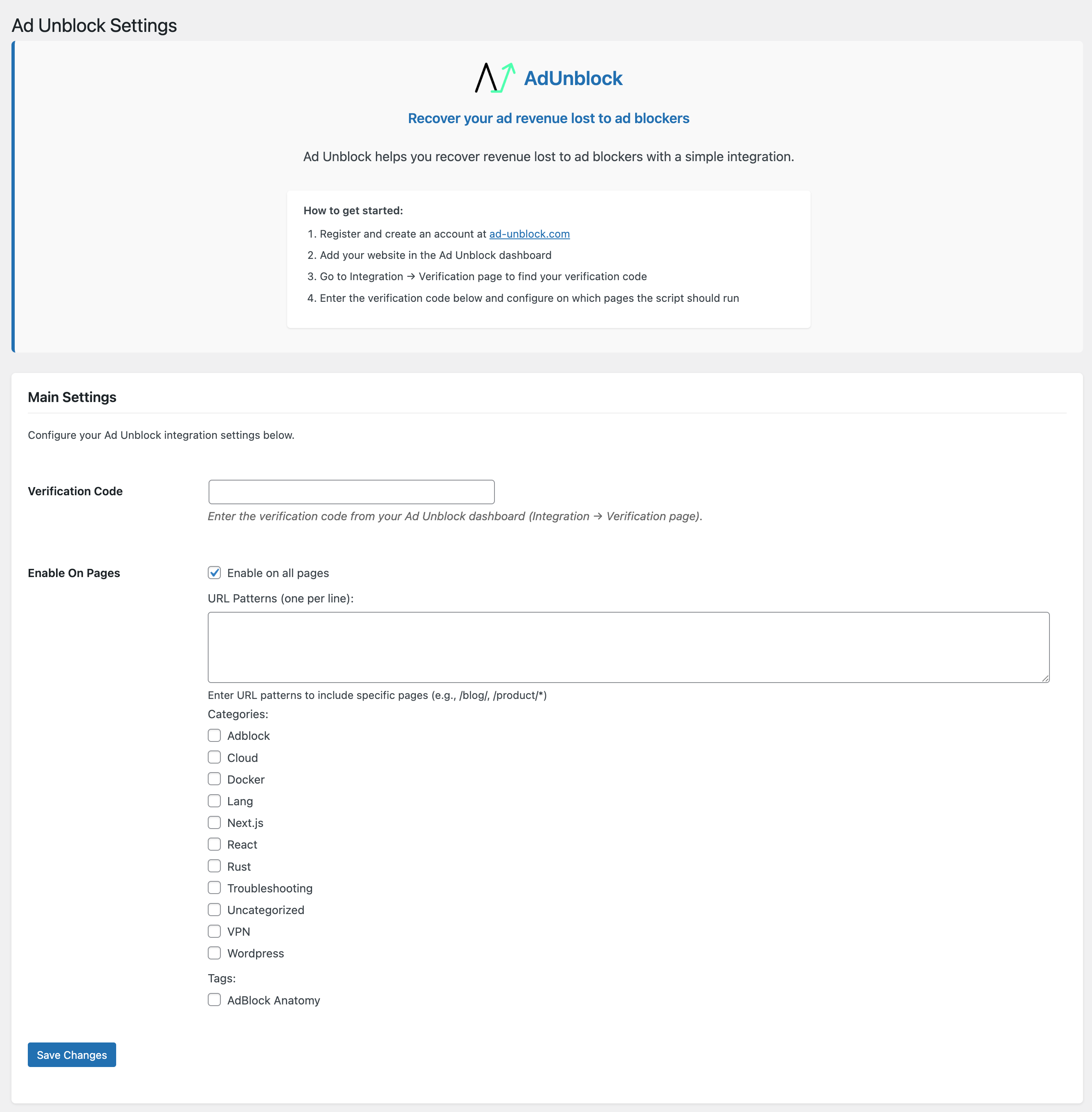
Admin settings page where you can configure your Account ID and page rules.
انسٹالیشن
- Upload the plugin files to the
/wp-content/plugins/ad-unblockdirectory, or install the plugin through the WordPress plugins screen directly. - Activate the plugin through the ‘Plugins’ screen in WordPress
- Go to Settings Ad Unblock to configure the plugin
- Enter your Account ID from the Ad Unblock dashboard
- Configure which pages should have the script enabled
عمومی سوالات
-
Do I need an Ad Unblock account to use this plugin?
-
Yes, you need to register at ad-unblock.com to get an Account ID.
-
Where do I find my Account ID?
-
After registering on ad-unblock.com, your Account ID is available in your Ad Unblock dashboard.
-
Can I control which pages have the script?
-
Yes, you can choose to enable the script on all pages, specific URL patterns, categories, or tags.
-
Does this plugin slow down my website?
-
No, the plugin is designed to be lightweight and efficient. It uses caching to minimize API requests and loads the script asynchronously to avoid affecting page load times.
جائزے
There are no reviews for this plugin.
شراکت دار اور ڈیویلپرز

“Ad Unblock” کا 1 زبان میں ترجمہ کیا گیا ہے۔ تعاون کے لیے مترجمین کا شکریہ۔
“Ad Unblock” کا اپنی زبان میں ترجمہ کریں۔
ڈویلپمینٹ میں دلچسپی ہے؟
کوڈ براؤز کریں، ایس این وی ریپوزیٹری کو چیک کریں یا ڈویلپمینٹ لاگ کو سبسکرائب کریں بذریعہ آر ایس ایس۔
چینج لاگ
1.1.3
- Renamed "Verification Code” to "Account ID” in the settings UI
- Updated onboarding steps: register get Account ID enable plugin add site in dashboard
1.1.2
- Added custom API endpoint option with toggle to use default or custom URL
1.1.1
- Update server side API URL
1.1.0
- Fix an issue that cached resource is not refreshed properly when external cache object is enabled
1.0.6
- Improved cache management
1.0.5
- Fix version issue
1.0.4
- Lazy load categories and tags selection
- Optimize page settings UI
1.0.3
- Updated script back to asynchronous.
1.0.2
- Updated script to be synchronous. It won’t affect site speed since the script itself is behind async functions.
1.0.1
- Remove verification code from script URL query param to improve cache performance
- Add verification code as a meta tag in header
1.0.0
- Initial release
- Added logo and "AdUnblock” text to admin interface
- Improved admin page styling for better user experience
- Added helpful links to support and documentation