

تفصیل
Add-on Tracker is a powerful tool for managing WordPress plugins. It tracks the following actions:
– Plugin installation.
– Activation and deactivation of plugins.
– Plugin deletion.
– Updates with version tracking.
Features:
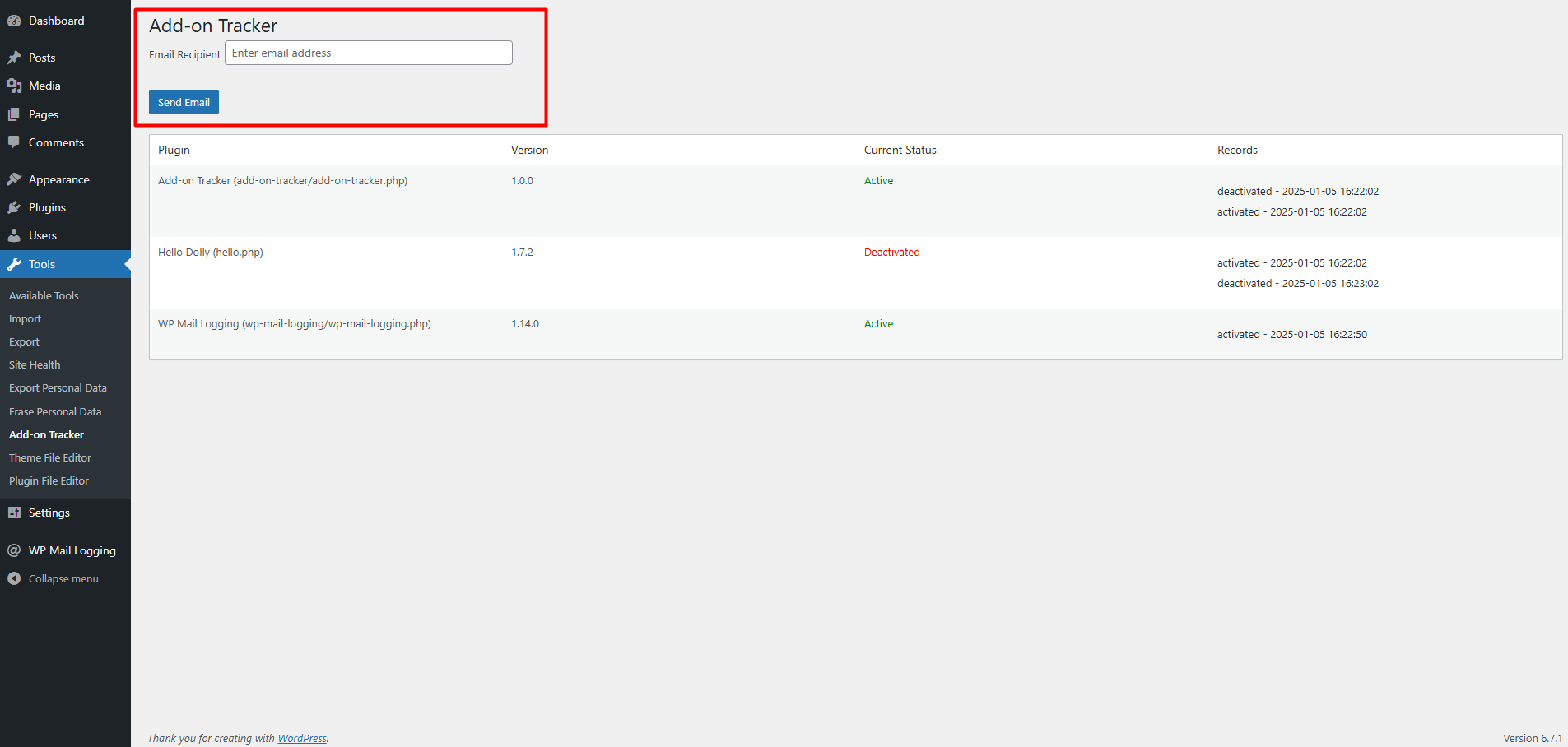
– Maintains a log of plugin activities with timestamps and statuses.
– Displays plugin activity logs in a datatable format.
– Tracks plugin version changes.
– Allows sending plugin data via email with a simple form in the admin interface.
– Displays the current status of each plugin (Active/Inactive) with color-coded labels.
اسکرین شاٹس

انسٹالیشن
- Download the plugin zip file.
- Go to the WordPress Admin Dashboard.
- Navigate to
Plugins > Add Newand clickUpload Plugin. - Choose the downloaded zip file and click
Install Now. - Once installed, click
Activateto start using the plugin.
عمومی سوالات
-
Can this plugin track deleted plugins?
-
Yes, the plugin monitors plugin deletions and stores a record in the log.
-
Does it show the current status of plugins?
-
Yes, each plugin’s current status is displayed with color-coded labels (green for Active, red for Inactive).
-
Can I track plugin updates?
-
Yes, the plugin tracks updates and logs the new version details along with the timestamp.
-
How can I send the plugin activity log via email?
-
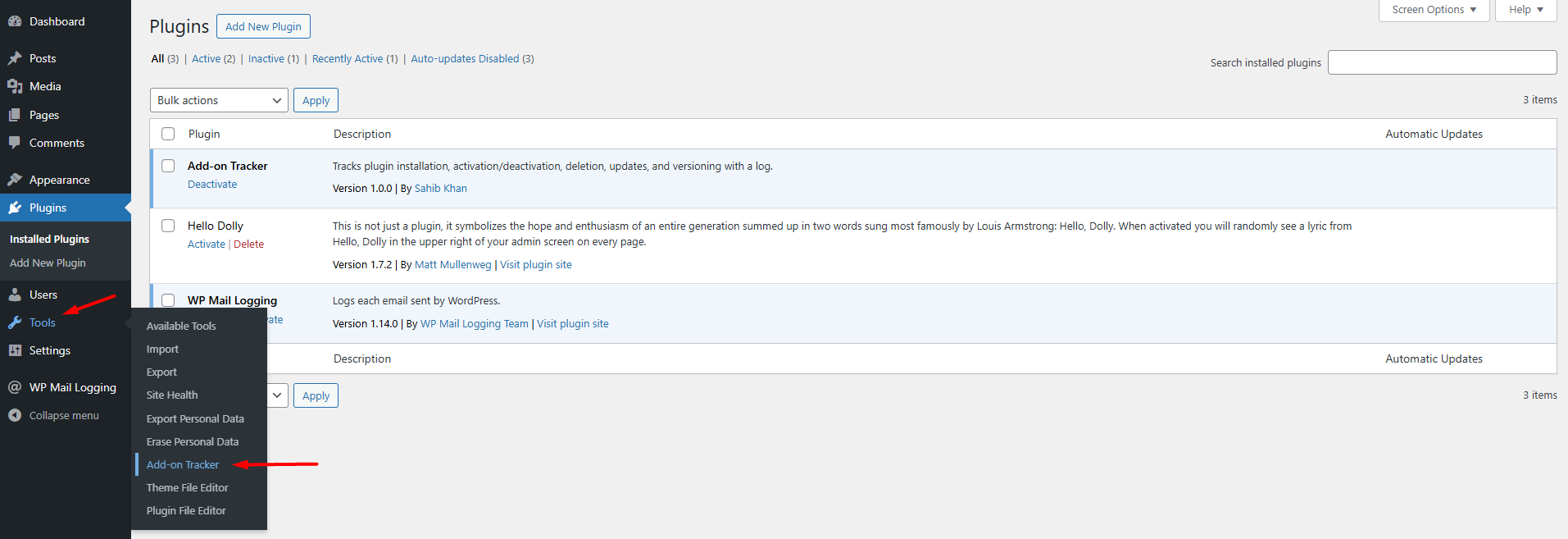
You can send the plugin activity log by entering recipient email addresses in the form provided on the plugin’s admin page under
Tools > Add-on Tracker. -
Does this plugin impact performance?
-
The plugin uses the WordPress options API with
autoloadset tono, ensuring minimal impact on performance.
جائزے

شراکت دار اور ڈیویلپرز
“Add-on Tracker” اوپن سورس سافٹ ویئر ہے۔ مندرجہ ذیل لوگوں نے اس پلگ ان میں حصہ لیا:
شراکت دار
“Add-on Tracker” کا اپنی زبان میں ترجمہ کریں۔
ڈویلپمینٹ میں دلچسپی ہے؟
کوڈ براؤز کریں، ایس این وی ریپوزیٹری کو چیک کریں یا ڈویلپمینٹ لاگ کو سبسکرائب کریں بذریعہ آر ایس ایس۔
چینج لاگ
1.0
- Initial release with basic plugin tracking functionality.