
تفصیل
Locally mirrors commenters’ Gravatar, Libravatar and Mastodon avatars and serves them from your site, rather than loading them from a third-party web site upon each page load.
This has several effects:
-
If most of the comments on a post have no avatar, those turn into one load of a shared image, instead of one for each comment, that happens to return the same "mystery” image.
-
You will be serving more (small) images.
-
If a commenter’s URL looks like a link to a Mastodon / ActivityPub profile, their Mastodon account’s avatar will be displayed.
-
When commenting, a live preview of the avatar tracks the contents of the "Email” field.
-
gravatar.com and libravatar.org no longer have a web-bug on your blog that is loaded by each viewer. Instead of being loaded at every page view, the avatar is loaded just once, on the server-side, at the time each new comment is posted.
-
If someone changes or deletes their avatar, your site continues displaying the image that was their avatar at the time that they last posted.
-
Likewise, the user’s Gravatar or Mastodon profile is saved along with their comment, viewable by admins even if they later change or delete it.
Security and Privacy
-
Libravatar is open source. Gravatar is owned by WordPress, and their privacy policy says that they don’t monetize that info. But hey, corporate policies change, subpoenas exist, and domain names get sold.
-
Should you trust Gravatar with user data? Well, in 2024, Gravatar announced that they are pivoting to blockchain, whatever that means, so that’s fairly disqualifying. See also WordPress "growth hacking” and WordPress sells users’ data to train AI tools.
-
There used to be a potential issue due to Gravatars using MD5 hashes, but these days they use SHA256, so I assume that’s no longer a problem.
اسکرین شاٹس
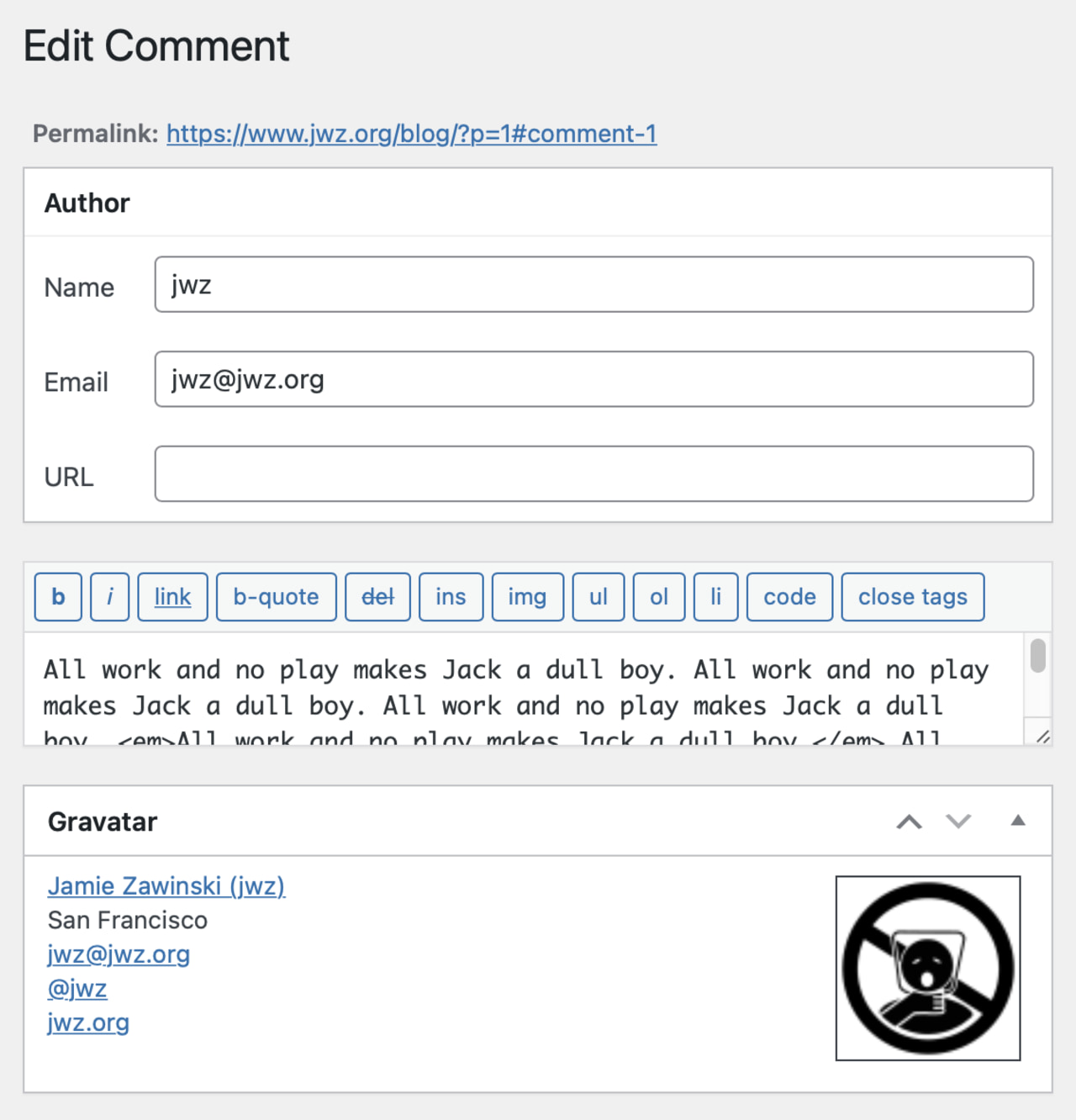
A copy of the user’s gravatar.com profile is saved with the comment. 
A live preview of the avatar when commenting.
انسٹالیشن
- Upload the
mirror-gravatardirectory to your/wp-content/plugins/directory. - Activate the plugin through the "Plugins” menu in WordPress.
- Make sure the directory
/wp-content/plugins/mirror-gravatar/is writable by your web server.
جائزے

شراکت دار اور ڈیویلپرز

“Mirror Gravatar” کا اپنی زبان میں ترجمہ کریں۔
ڈویلپمینٹ میں دلچسپی ہے؟
کوڈ براؤز کریں، ایس این وی ریپوزیٹری کو چیک کریں یا ڈویلپمینٹ لاگ کو سبسکرائب کریں بذریعہ آر ایس ایس۔
چینج لاگ
1.0
- Created
1.1
- Also mirrors Mastodon avatar images, if the commenter’s URL is of the form "https://example.com/@username”
1.2
- Minor Mastodon tweaks.
1.3
- Prefer SHA256 to MD5, since Gravatar accepts that now.
- Added support for Libravatar.
1.4
- Oops, I forgot to include the CSS file in the distribution.