Title: WP Code Pre
Author: zeshanb
Published: ستمبر 19, 2017
Last modified: اگست 8, 2021
---
پلگ انز تلاش کریں
یہ پلگ ان **ورڈپریس کے تازہ ترین 3 ریلیزوں کے ساتھ ٹیسٹ نہیں کیا گیا ہے**۔ اب یہ
برقرار نہیں رکھا جا سکتا یا معاونت نہیں کی جا سکتی اور اس کو ورڈپریس کے تازہ ترین
ورژنز کے ساتھ استعمال کیے جانے پر مطابقت کے مسائل ہو سکتے ہیں۔
# WP Code Pre
منجانب [zeshanb](https://profiles.wordpress.org/zeshanb/)
[ڈاؤن لوڈ کریں](https://downloads.wordpress.org/plugin/wp-code-pre.1.0.1.zip)
* [تفصیلات](https://ur.wordpress.org/plugins/wp-code-pre/#description)
* [جائزے](https://ur.wordpress.org/plugins/wp-code-pre/#reviews)
* [انسٹالیشن](https://ur.wordpress.org/plugins/wp-code-pre/#installation)
* [ڈیولپمنٹ](https://ur.wordpress.org/plugins/wp-code-pre/#developers)
[معاونت](https://wordpress.org/support/plugin/wp-code-pre/)
## تفصیل
This simple plugin was created because of security concerns related to using PHP
preg_replace directly. With transition to PHP7, it’s advised to use preg_replace_callback
instead.
This plugin uses built-in supported feature of PHP-"highlight_string”. This plugin
filters post content inside custom html block for
and helps display html and other source code.
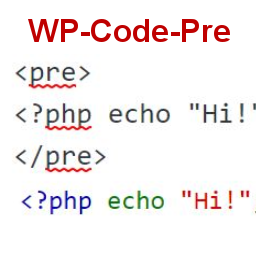
To display source code in your posts, surround source code with pre tags. Plugin
will filter for pre tags and add inline styles that may be modified using your wordpress
theme’s css stylesheet.
For WordPress versions 5.0 and above, HTML pre tags can be used within html block
or, classic block. Use the three dot menu to convert to html when there is a invalid
content error while post editing.
## اسکرین شاٹس
* [[
* Code preview on blog post or page
* [[
* Typing code in text tab of WordPress Admin area when writing Post.
* [[
* Convert block to html while editing to make modifications to existing source
code display
## انسٹالیشن
1. Download the plugin
2. Upload the wp-code-pre.zip folder to your site’s wp-content/plugins directory
3. Activate the plugin in the WordPress Admin Panel
4. Surround source code with `
` tags, when writing in blog posts using
Gutenberg with classic block and "Edit as HTML” or, html block
## عمومی سوالات
Why there aren’t any options to modify in admin?
This plugin simply filters for
pre tags.
## جائزے
There are no reviews for this plugin.
## شراکت دار اور ڈیویلپرز
“WP Code Pre” اوپن سورس سافٹ ویئر ہے۔ مندرجہ ذیل لوگوں نے اس پلگ ان میں حصہ لیا:
شراکت دار
* [ zeshanb ](https://profiles.wordpress.org/zeshanb/)
[“WP Code Pre” کا اپنی زبان میں ترجمہ کریں۔](https://translate.wordpress.org/projects/wp-plugins/wp-code-pre)
### ڈویلپمینٹ میں دلچسپی ہے؟
[کوڈ براؤز کریں](https://plugins.trac.wordpress.org/browser/wp-code-pre/)، [ایس این وی ریپوزیٹری](https://plugins.svn.wordpress.org/wp-code-pre/)
کو چیک کریں یا [ڈویلپمینٹ لاگ](https://plugins.trac.wordpress.org/log/wp-code-pre/)
کو سبسکرائب کریں بذریعہ [آر ایس ایس](https://plugins.trac.wordpress.org/log/wp-code-pre/?limit=100&mode=stop_on_copy&format=rss)۔
## چینج لاگ
#### 1.0
* First version of the plugin.
#### 1.0.1
* Updated readme to reflect updates to version 5.0
## میٹا
* Version **1.0**
* Last updated **5 سال پہلے**
* Active installations **10+**
* WordPress version ** 4.0 یا اس سے جدید **
* Tested up to **5.8.13**
* PHP version ** 7.0 یا اس سے جدید **
* Language
* [English (US)](https://wordpress.org/plugins/wp-code-pre/)
* Tags
* [Code Highlight](https://ur.wordpress.org/plugins/tags/code-highlight/)[filter content](https://ur.wordpress.org/plugins/tags/filter-content/)
* [اعلی درجے کا منظر](https://ur.wordpress.org/plugins/wp-code-pre/advanced/)
## درجہ بندیاں
No reviews have been submitted yet.
[Your review](https://wordpress.org/support/plugin/wp-code-pre/reviews/#new-post)
[See all reviews](https://wordpress.org/support/plugin/wp-code-pre/reviews/)
## شراکت دار
* [ zeshanb ](https://profiles.wordpress.org/zeshanb/)
## معاونت
کچھ کہنا ہے؟ مدد چاہیے؟
[معاونتی فورم دیکھیں](https://wordpress.org/support/plugin/wp-code-pre/)